Point your camera. MemX remembers the rest.
You saved that file somewhere, but finding it before the bill or renewal is due is another story. MemX Smart Scanner keeps every document and photo you capture searchable and safely backed up, so when you ask for your policy number, you get the answer, not a search that fails.
Try MemX Free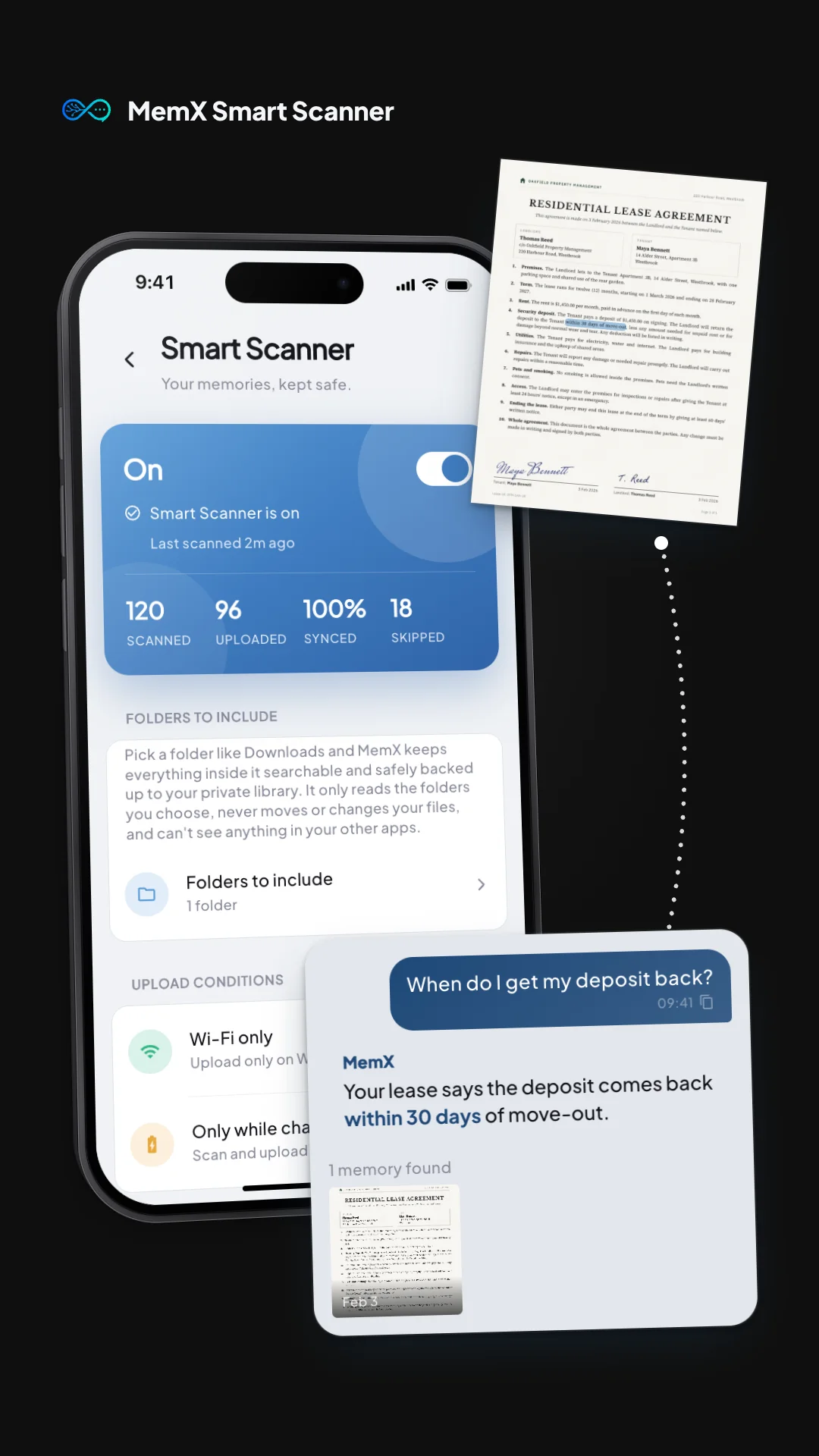
How It Works
Turn on MemX Smart Scanner
Pick the folders or moments you want covered. There is nothing else to configure.
MemX quietly keeps you organized
Every receipt, ID, prescription and important paper becomes searchable and backed up, automatically, without you filing or naming a single thing.
Ask for it whenever you need it
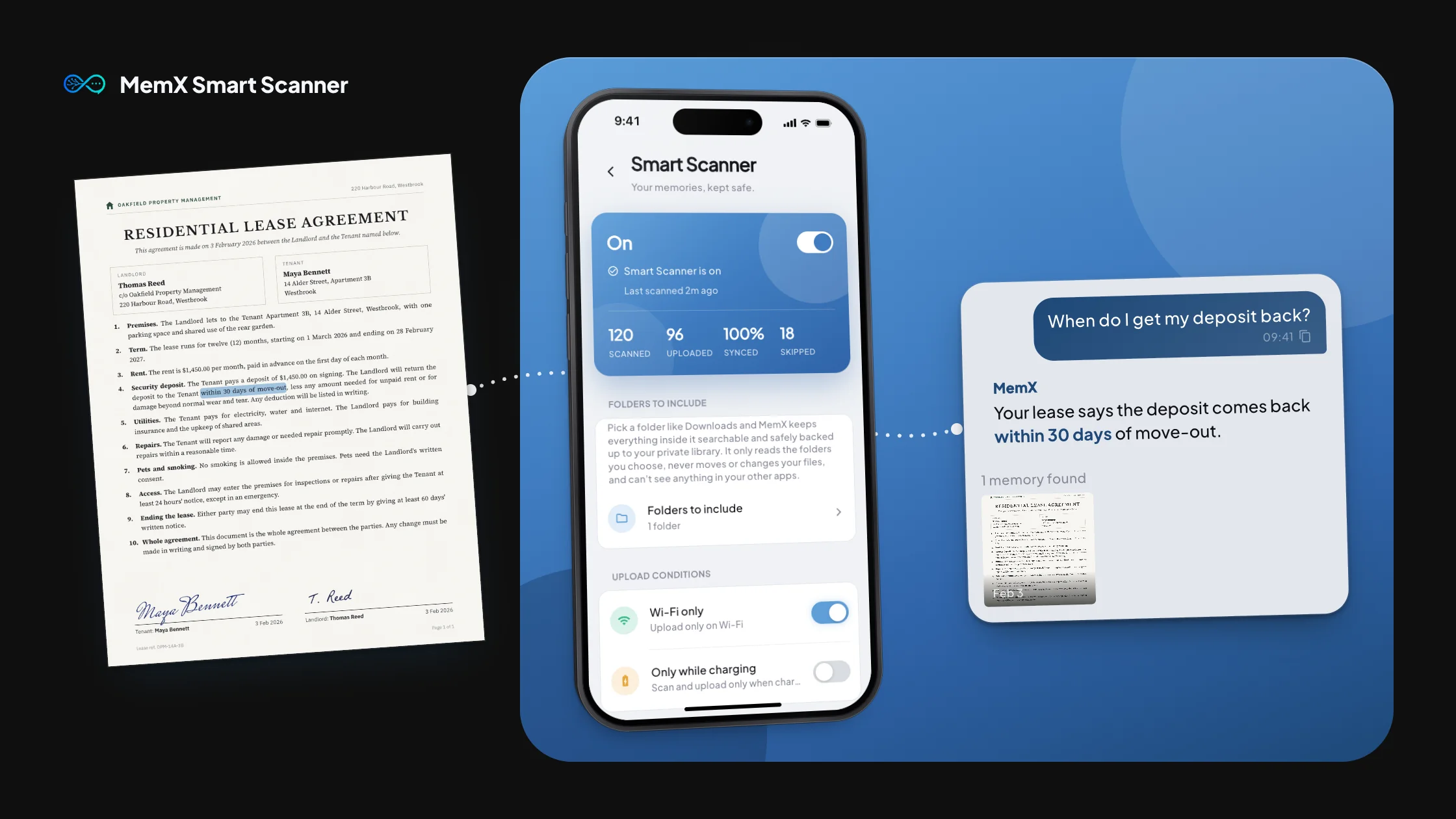
Ask "what is my Wi-Fi password" or "when does my lease renew" and MemX finds the answer from what you have already scanned.
Why Use This Feature
Never dig through folders again
The lease is somewhere on your phone, but finding it fast used to take forever. MemX Smart Scanner reads it for you, so asking about your deposit gets an instant answer.
Every important paper becomes an answer
A missed renewal or a lost policy number can cost more than time. MemX Smart Scanner turns everything you scan into something you can actually find and ask about.
Works quietly in the background
No folders to maintain, no files to rename. MemX Smart Scanner keeps working while you get on with your day.
Only what matters gets kept
Vacation photos and casual selfies are recognized and skipped, so your memory library stays full of what is actually useful.
Works with Reminders
Scan a lease or a prescription and MemX can turn what is inside it into a reminder, so you are nudged before a due date instead of finding out too late.
Your memory agent, always ready
Whatever you scan today is there the moment you need it, weeks or months later, without you having to remember where you put it.