MemX Rediscover

Everything you keep, in order.

Rediscover groups your files by person, bill and category without any sorting from you.

Get it onGoogle PlayDownload on theApp Store

Free to start. Sorted for you.

See it in 30 seconds.

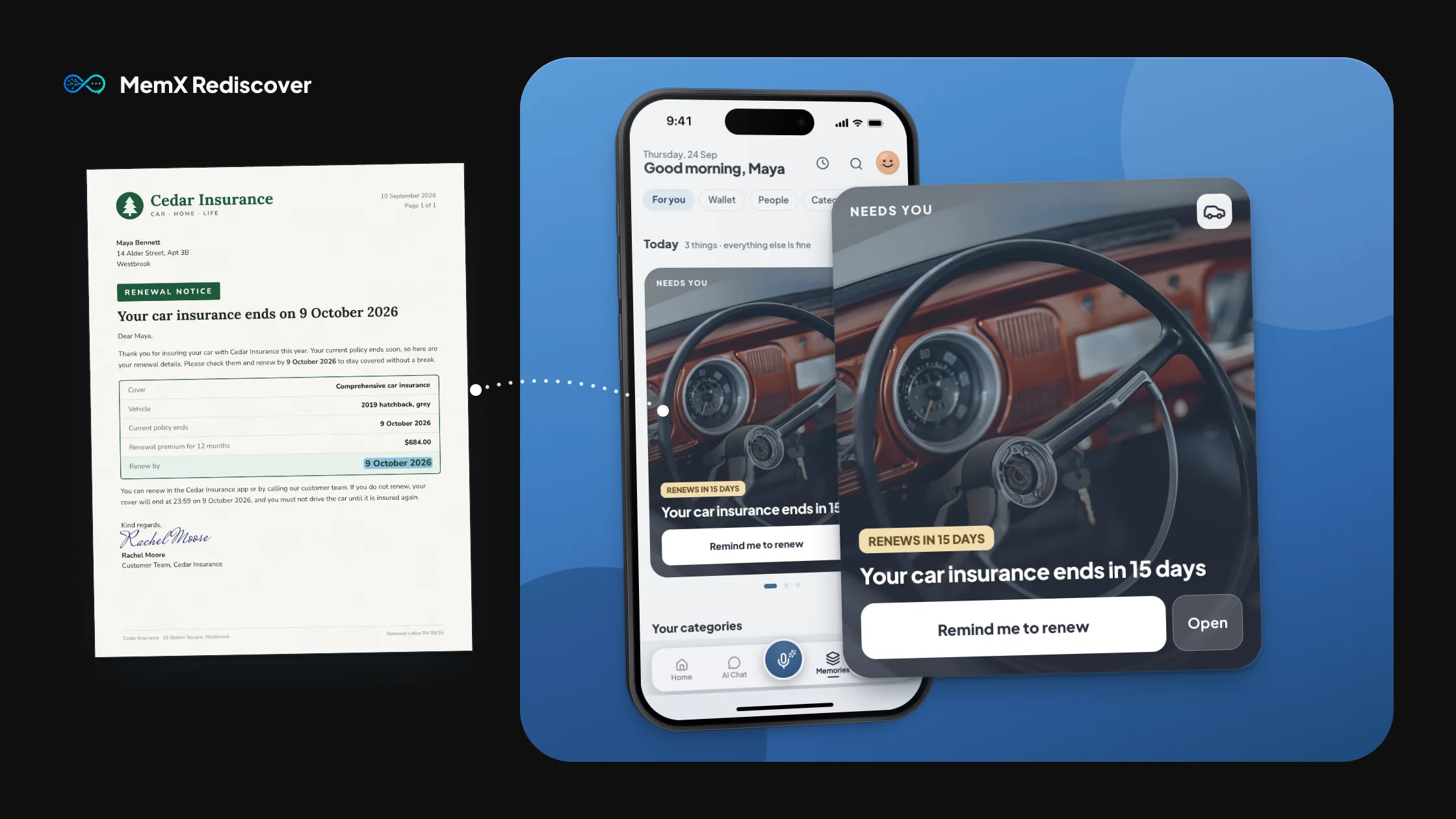
A bill saved as a photo and as a PDF shows once when MemX is sure it matches. A car insurance renewal is spotted early, and each person gets a page of their own papers. Music only, no voice over.

MemX Rediscover in 32 seconds

Every paper, under the right name.

Open a name and see every paper that mentions them, in one place.

It also shows who often appears together with them.

Three papers that name Olivia Grant lead to her page in MemX Rediscover, with her papers grouped by category and a card of the people she often appears with.

Your cards, always at hand.

Memberships, policies and library cards sit in one stack, with renewals flagged early.

Card numbers stay masked until you tap.

A photo of a membership card and an insurance renewal letter lead to the MemX Wallet, a stack of cards with their status and the card number masked until you tap.

Sorted before you ask.

Finance, travel and medical fill up on their own, with no folders to make.

A messy pile of a lease, a prescription, a bill, a boarding pass and a photo leads to the MemX Categories screen, sorted into photo tiles such as Finance, Travel and Medical.

Bills, due dates, no doubles.

A bill saved twice shows once, with its date, beside the ones you pay regularly.

Shown once only when MemX is sure the copies match.

The same electricity bill saved as a photo and as a PDF appears once on the MemX Bills screen, listed by due date beside other bills and the regular bills.

Your voice memos, in words.

Every recording is listed with its length and date, and opens as a written transcript.

A voice memo about a plumber visit leads to the MemX Voices list of recordings, then opens on its Transcript tab with the words written under timestamps.

The details, without the digging.

Dates and policy details from your documents sit together, so you stop rereading pages.

Numbers stay masked until you tap, and are never saved to your phone's storage.

A home insurance policy with key facts marked leads to the MemX Key facts screen, where each fact is a tile and the policy number stays masked until you tap.

Every section, one tap away.

One button opens People, Wallet, Categories, Bills, Voices and Key facts.

The button in the MemX Memories header opens the All sections sheet, with People, Wallet, Categories and Bills as tiles and rows for Voices and Key facts.

How it works

Three steps.

MemX groups them into people, bills and categories on its own.

  1. The Memories home shows a card of what you keep, and category cards for Finance, Travel and Medical.

    1Open Memories

  2. The All sections sheet lists People, Wallet, Categories and Bills as tiles.

    2Browse by type

  3. The Bills screen lists bills due in the next 30 days and the bills you pay regularly.

    3Bills in one place

Questions

What is MemX Rediscover?

A view of everything you saved, grouped into people, bills, categories and key facts, so you browse instead of searching.

Do I need to set it up?

No. It builds from the files and notes you already saved. There are no folders, labels or rules to create.

How does MemX treat the same bill saved twice?

When MemX is sure two copies, such as a photo and a PDF, match, it shows one bill with its due date.

Are sensitive numbers shown on screen?

Sensitive numbers are masked by default. Tap to reveal one at a time. They are not cached to your phone's storage, and copied values clear from the clipboard.

All features

Get MemX. See it sorted.

Your papers, already in order when you open them.

Get it onGoogle PlayDownload on theApp Store

Free to start. Sorted for you.