MemX Calendar
Your dates, in one calendar.
Reminders and the dates MemX finds in your files appear on the right day.
A school form due date, a vaccination visit and a flight sit in three different places. You check them all and miss one.
Free to start. See your month at a glance.
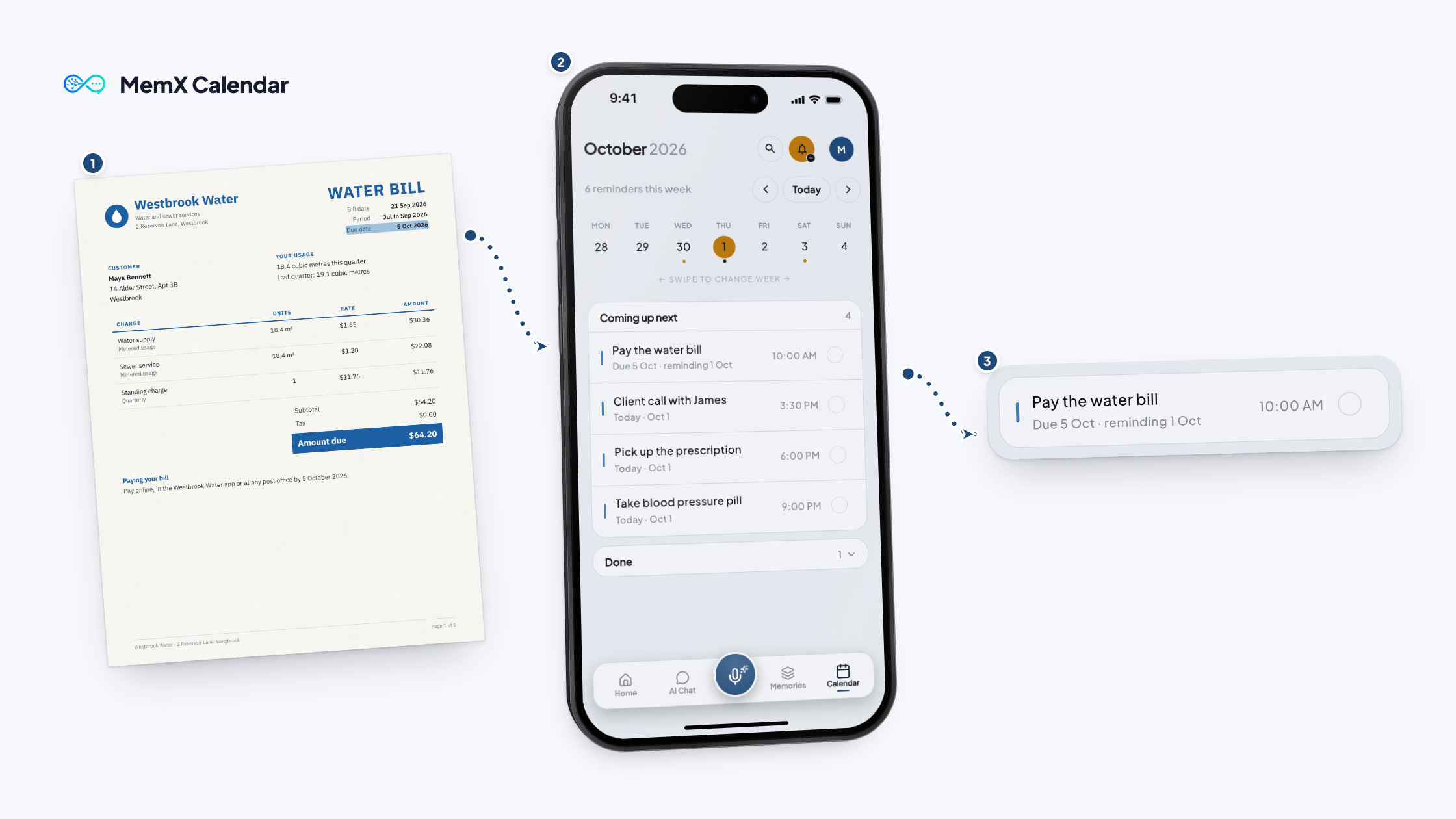
How it works
Three steps.
MemX puts them on one calendar, each on its day.
Free to start. See your month at a glance.
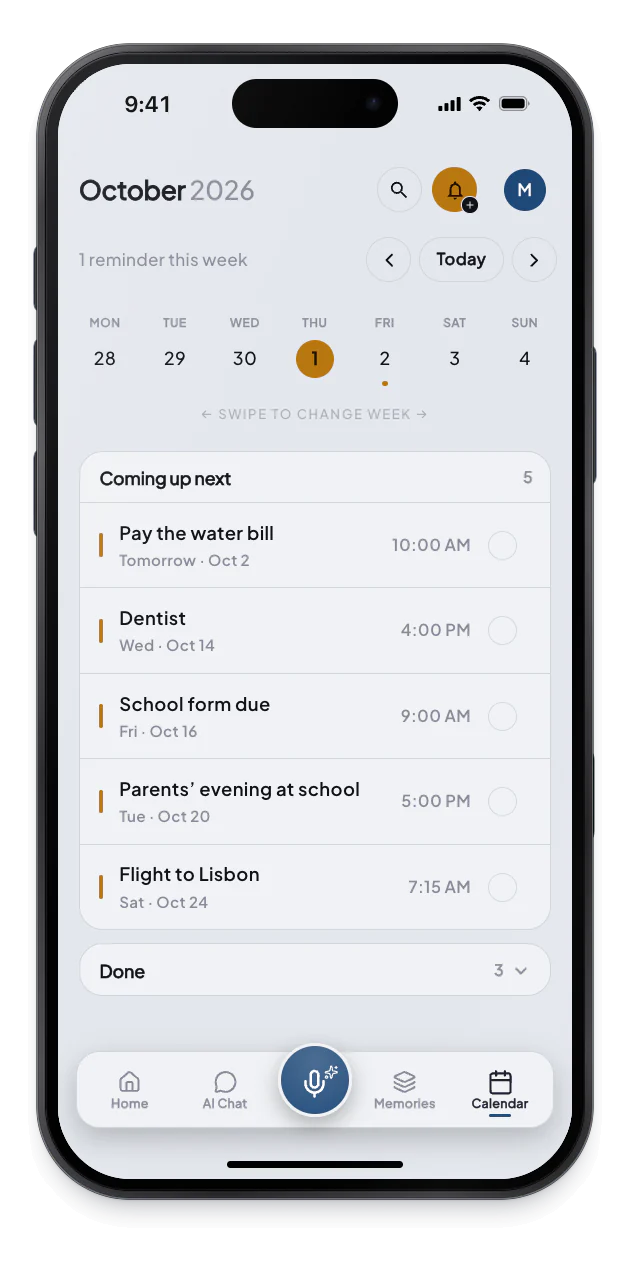
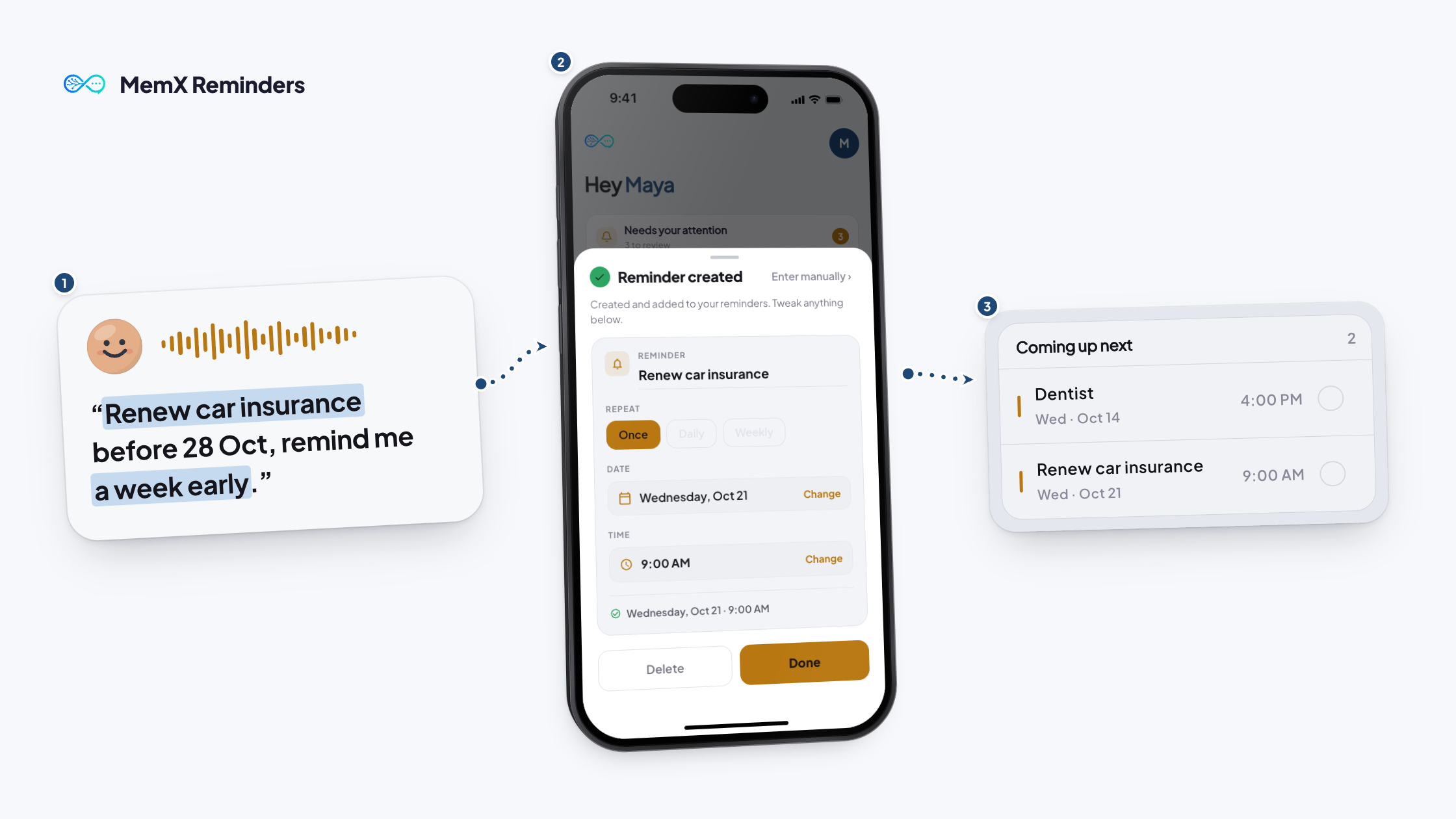
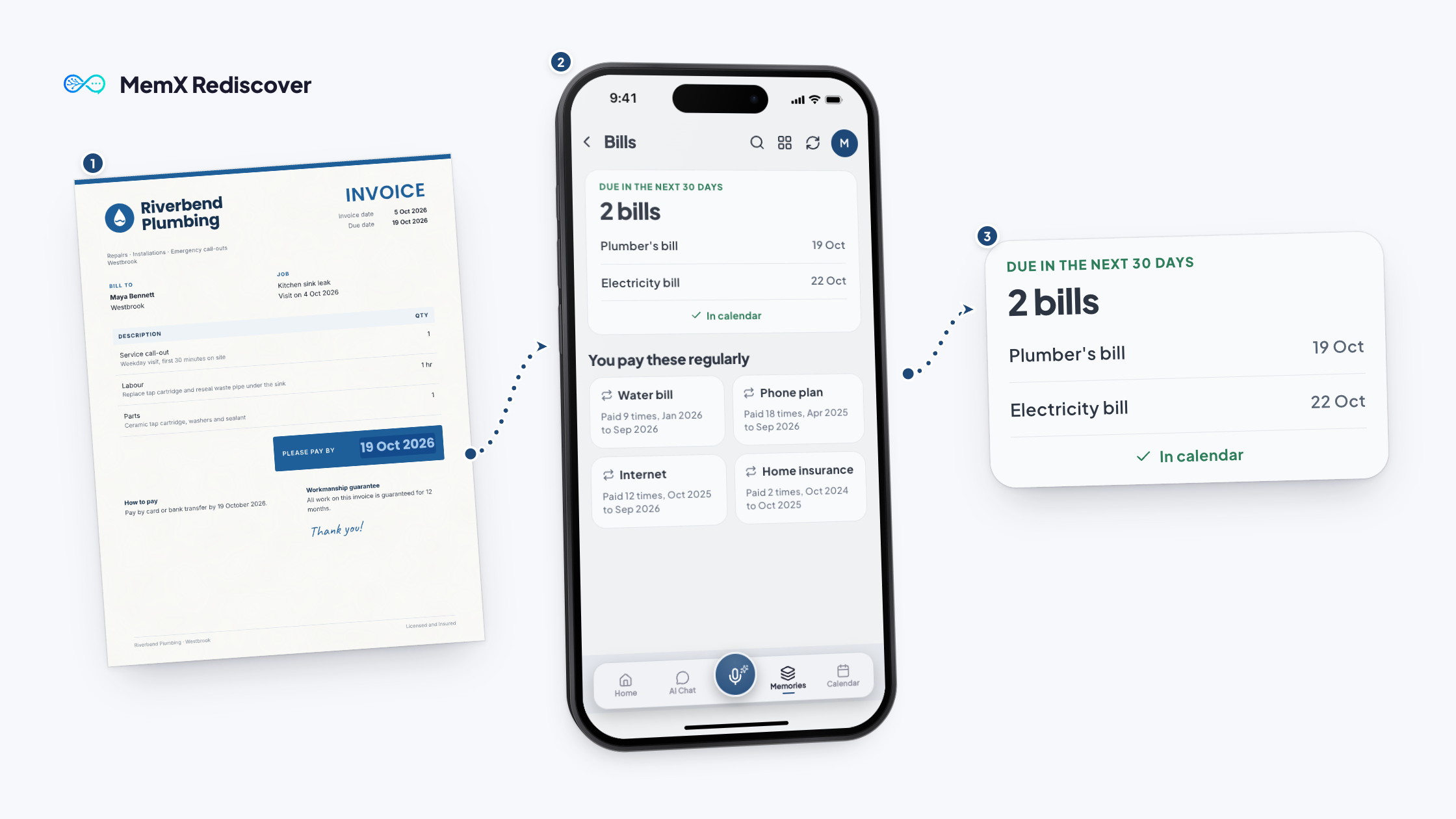
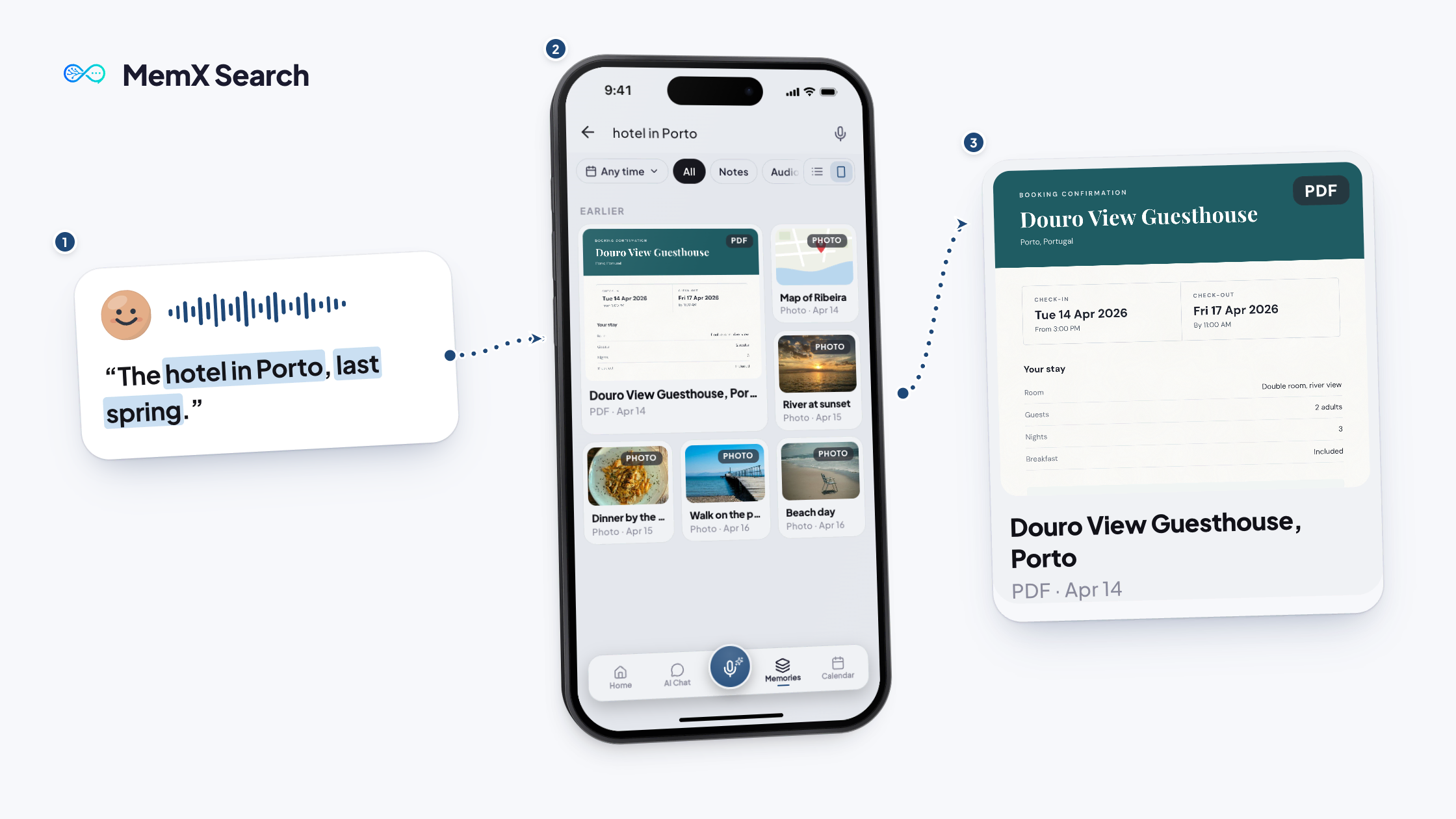
1Open Calendar
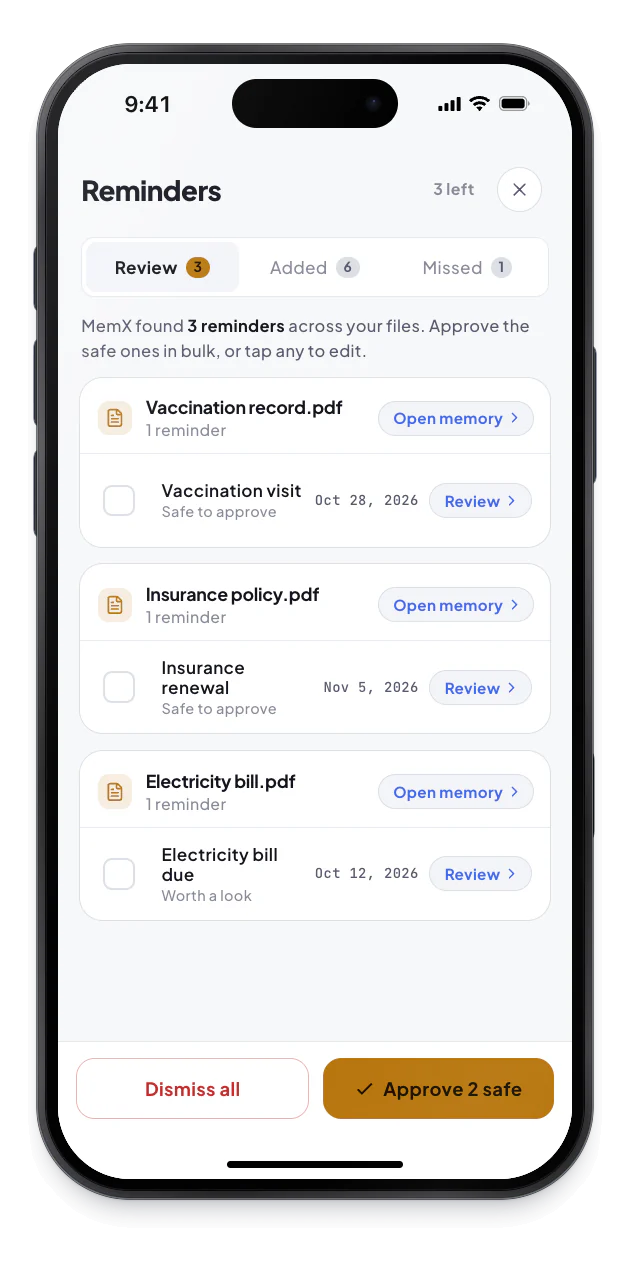
2Review what MemX found
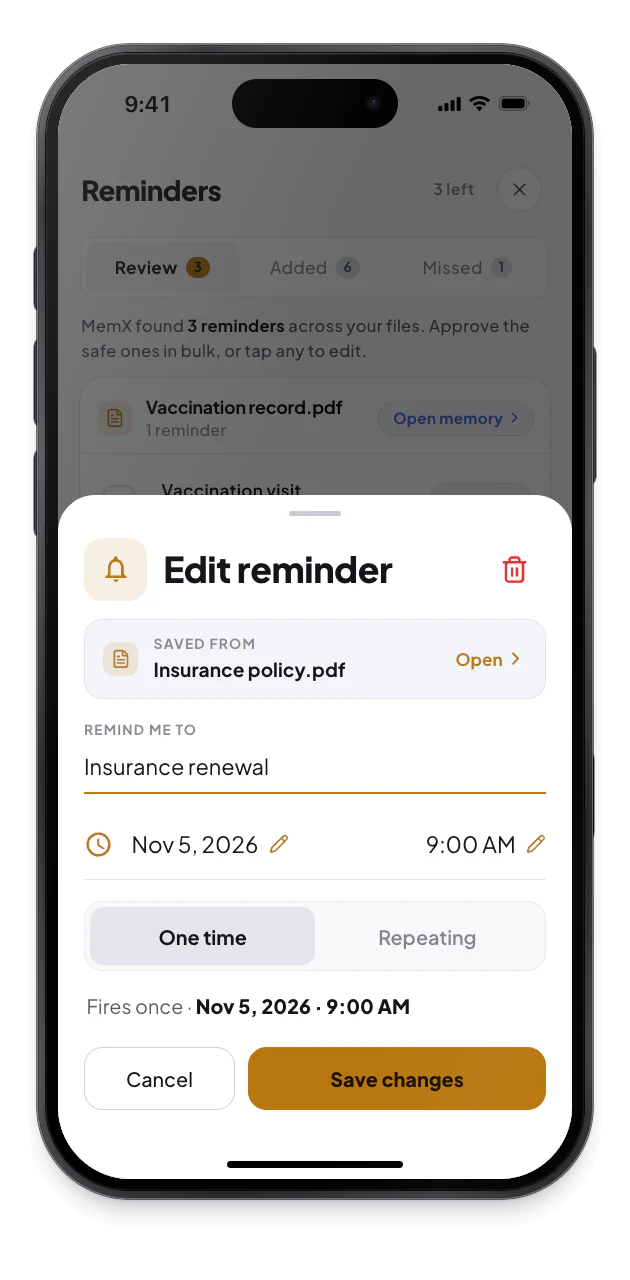
3Tap for the source
What changes for you.
Your dates sit on the right days, each linked to the file behind it.
Private by architecture: your reminders are encrypted at rest and every read is logged.
One view
Your reminders and file dates together.
Linked
Open the memory a reminder came from.
Repeats
Weekly and daily reminders supported.
Questions
What shows up in the MemX calendar?
Your reminders and the dates MemX finds in your saved files, grouped by day in an agenda. You can search reminders and open the file a date came from.
Who decides what goes in the calendar?
You do, with MemX helping. MemX proposes reminders from bills and dates in your files, and you can approve, edit or dismiss them. Anything MemX adds on its own is labelled Added by MemX, so you can see it and change or clear it. Each one shows the file it came from, so you can check the date.
Can I edit a repeating reminder?
Yes. Open it, choose Edit recurring reminder, and change how often it repeats or when it happens. You can change the days, the time or how often it repeats.
Can I use the calendar offline?
You can view and add reminders offline. They sync when you are back online. Asking MemX questions still needs a connection. Each reminder keeps a link to the memory it came from. That link needs a connection to open the file.
Download MemX. Plan the month.
One glance shows what is coming, and why.
Free to start. See your month at a glance.