Auto-Upload
Back up your papers. Not everything.
You stay in control of what it reads, and your files are never changed.
You want your receipts and papers safe, but you do not want every photo you own uploaded.
Free to start. Switch off anytime.
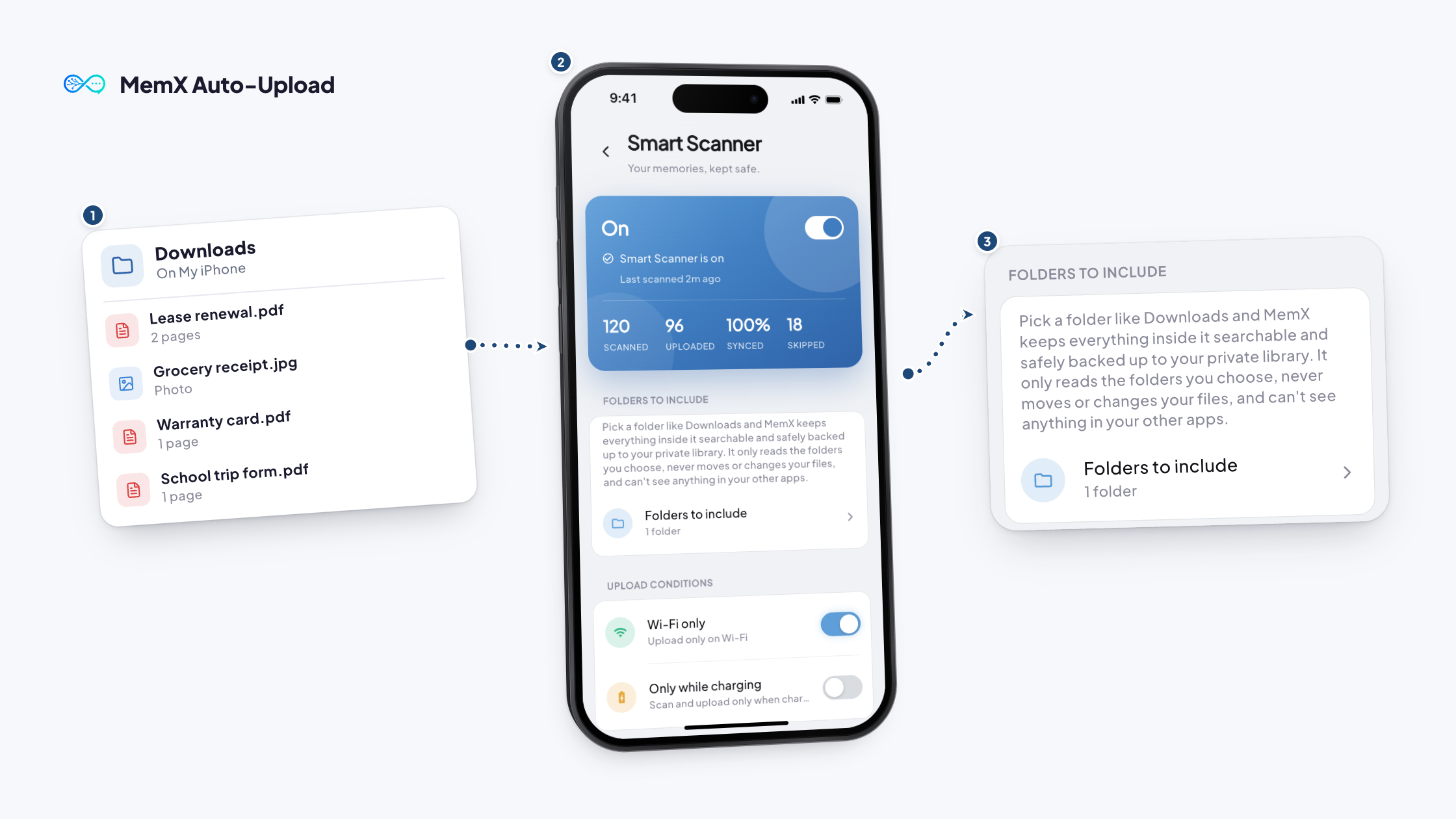
See MemX Smart Scanner in action.
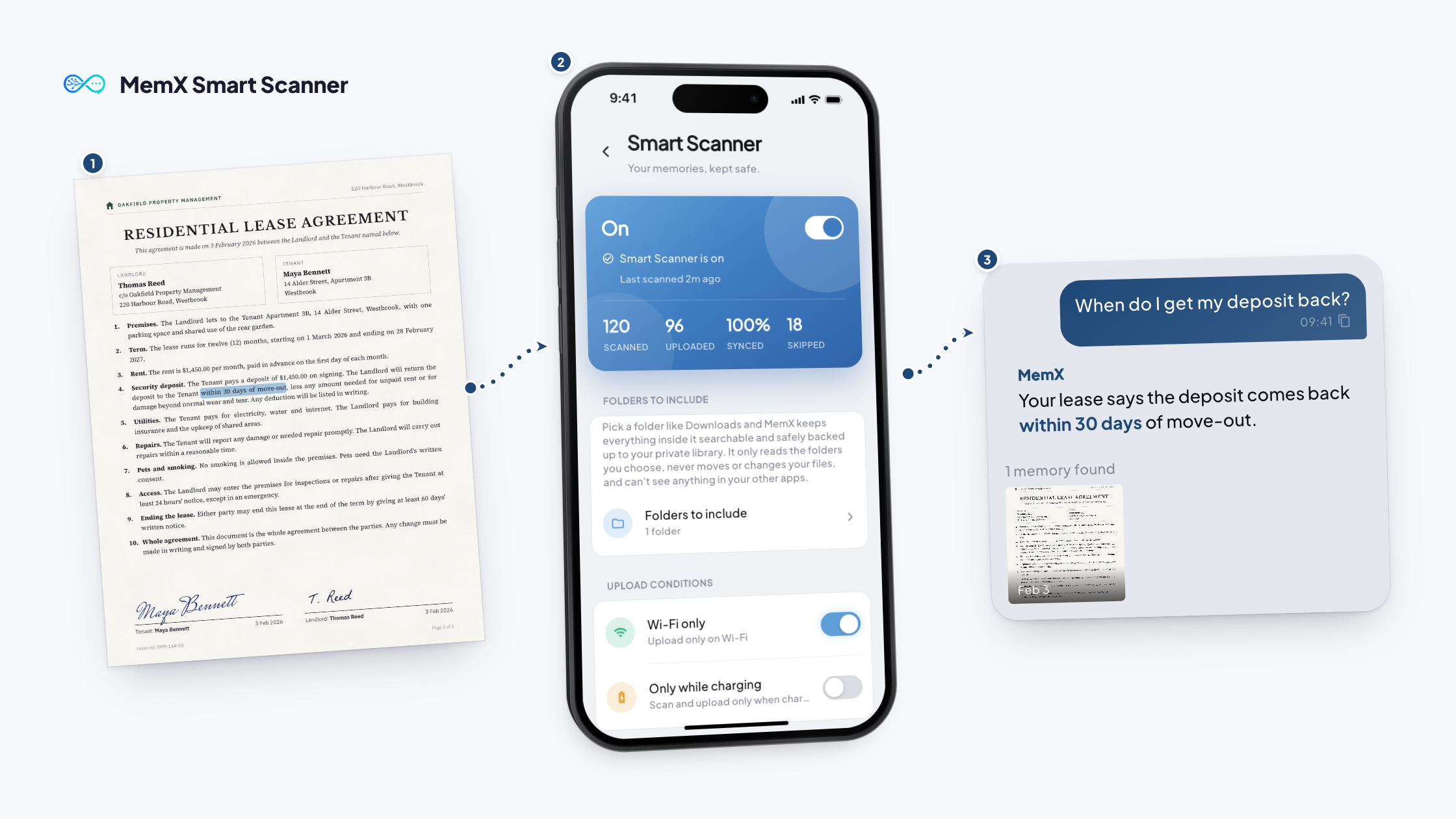
A phone full of files, and a search that finds nothing. Then MemX Smart Scanner is switched on with one switch, with the folders picked on iPhone. Ask for your car insurance policy number and MemX answers from the saved document.
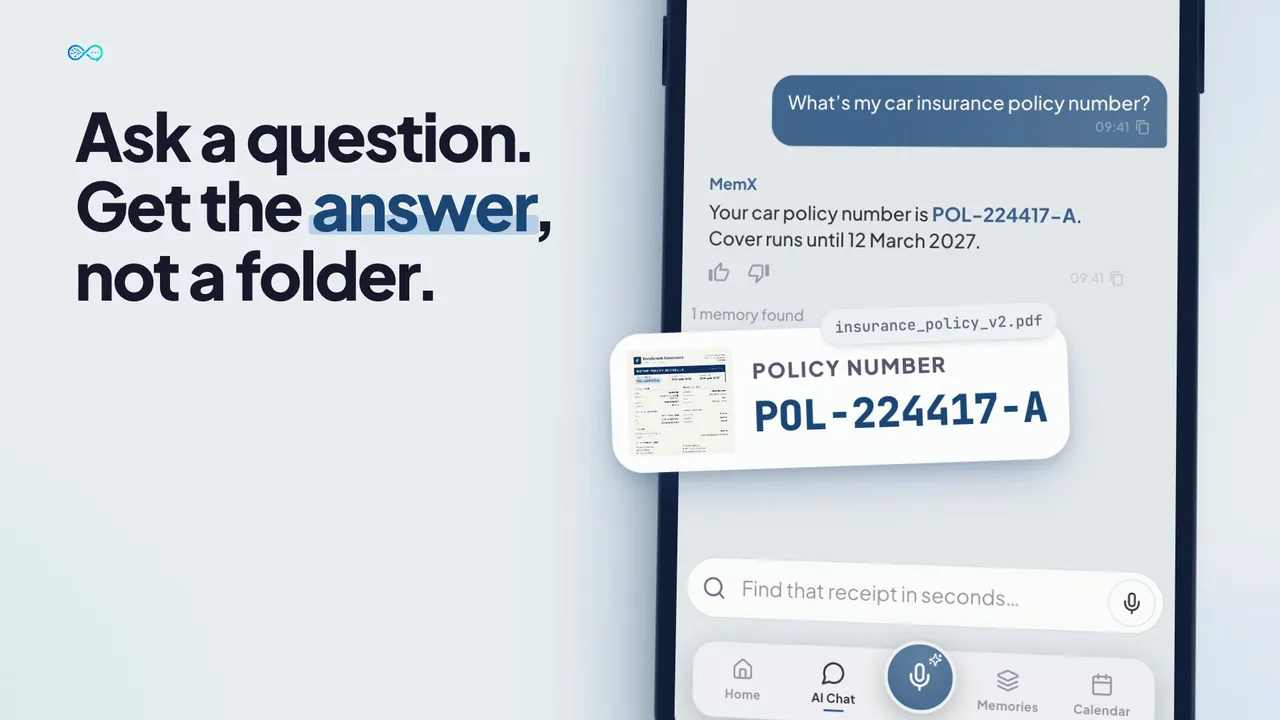
How it works
Three steps. No setup.
Set the folders. MemX reads your papers and skips scenery.
Free to start. Switch off anytime.
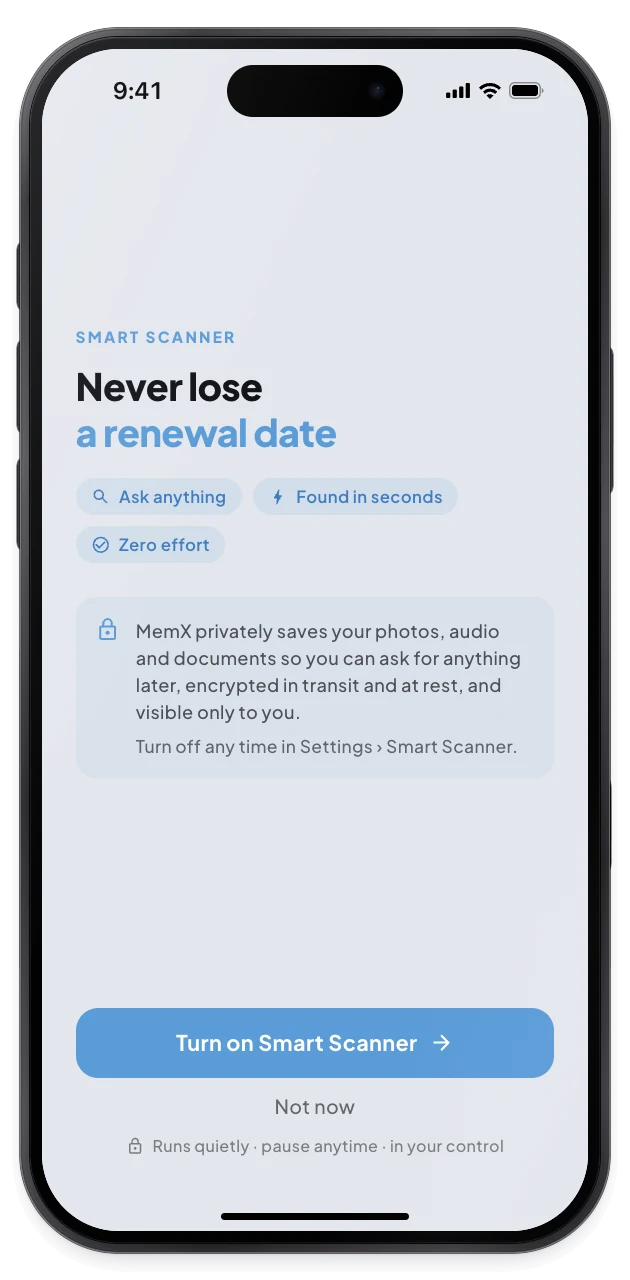
1Read the consent
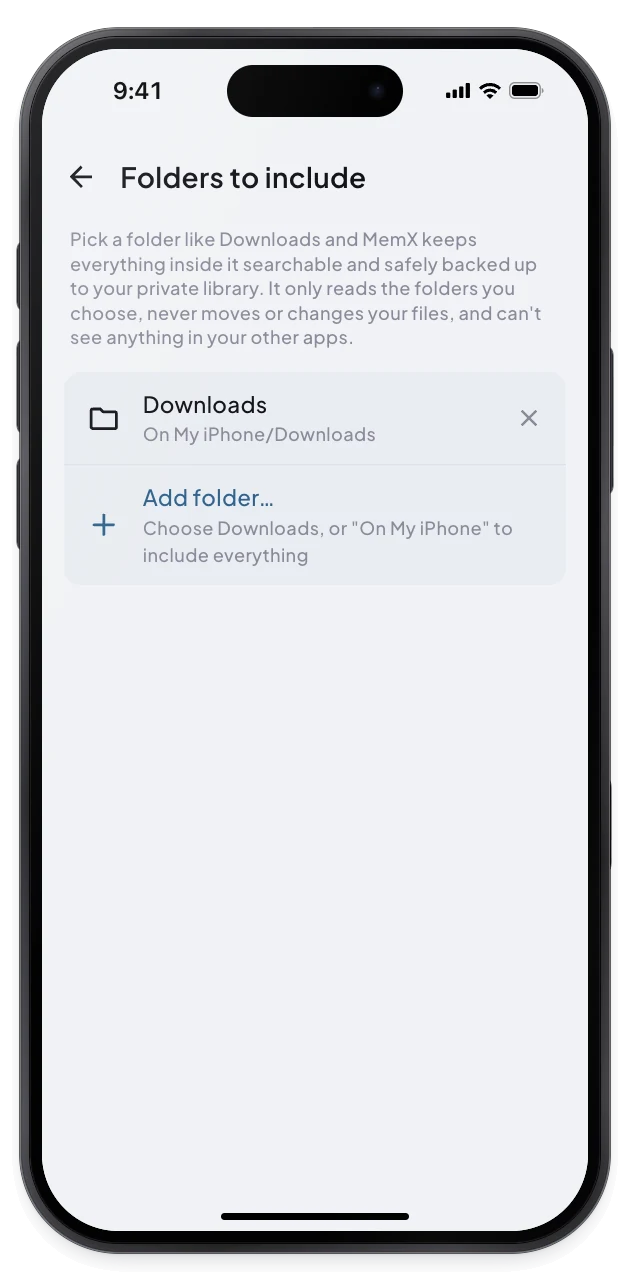
2Choose folders
3Stop anytime
What changes for you.
You control which folders are read, and you can stop whenever you want.
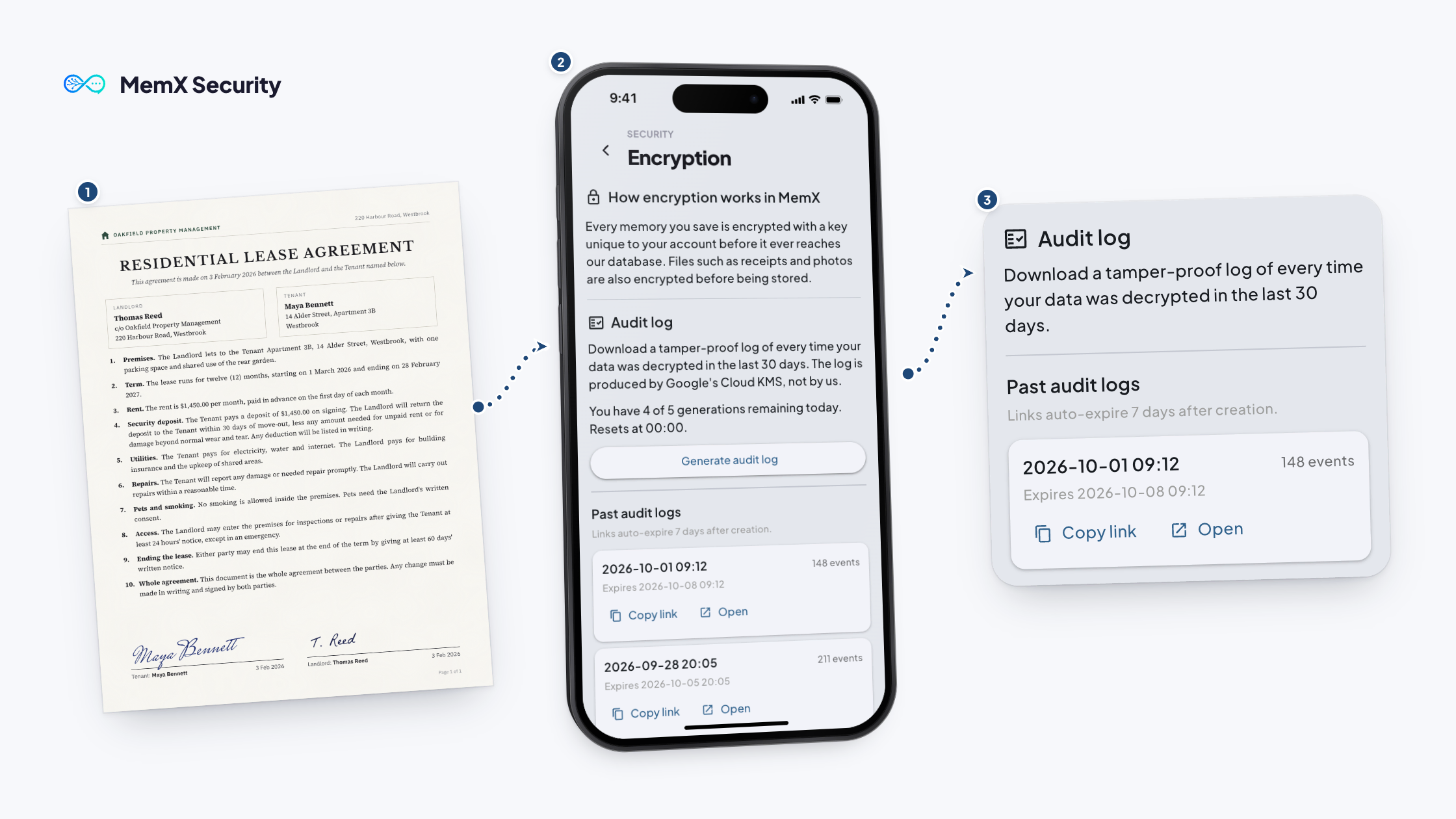
Private by architecture: encrypted in transit and at rest, and every read is logged.
Your folders
Pick folders on iPhone, exclude them on Android.
Never changed
MemX does not move or edit your files.
Always optional
Turn it off in settings.
What we back up, and what we don't
Last updated October 1, 2026
Auto-Upload is optional and off until you switch it on. When you do, it quietly backs up your documents and the images that actually contain information, and leaves the rest of your gallery alone. Here is exactly what it touches, and what it never does.
What Auto-Upload is built to skip
This is the important part, so we'll start here.
- Your personal photos. MemX looks at each image on your device and backs up only the ones that contain useful information: receipts, IDs, documents, prescriptions, tickets, whiteboards, and screenshots of something worth keeping. Ordinary selfies, vacation shots, and photos of your family are normally recognised as scenery and left on your phone. An image that looks like scenery is skipped.
- Anything outside photos, audio, and documents. Auto-Upload never reads or uploads your contacts, text messages, call logs, location history, browsing history, keystrokes, or live microphone audio. It only looks for the file types it can make searchable for you.
- Nothing is ever made public. Your backups are private to your account. Auto-Upload does not post anything, does not share your content with other users, and is never used for advertising. We do not sell your content.
What it does back up
When you turn it on, Auto-Upload backs up copies of:
- Documents: PDFs, text, Word documents and CSV files.
- Voice and audio recordings: voice notes and recordings, so you can search what was said.
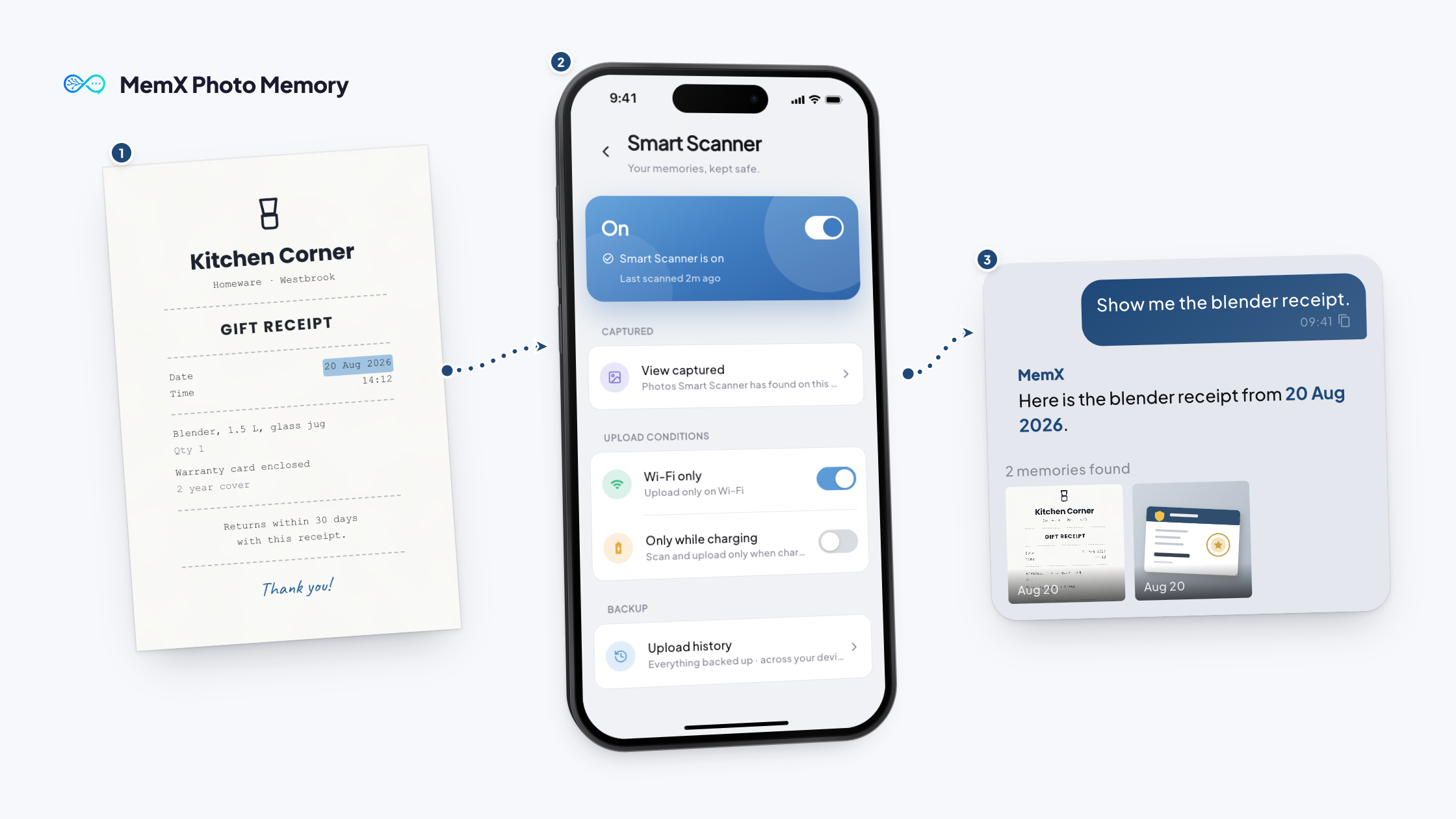
- Images that contain information: the receipts, IDs, and document-like photos described above, with the text inside them made searchable.
It also notes a few technical details so it can do its job well: file type and size, the date, and a one-way fingerprint so the same file is never uploaded twice.
It only runs on your terms
- Off by default. Nothing happens until you switch it on.
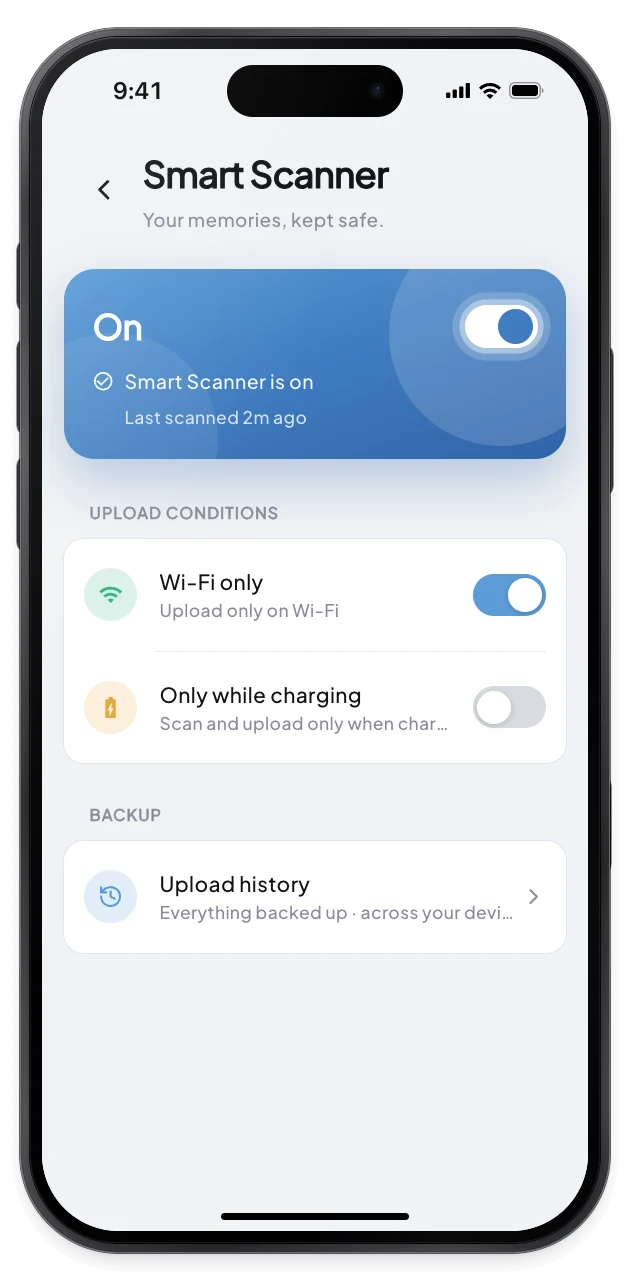
- Gentle on your phone. You can choose to upload only on Wi-Fi or only while charging, so it does not use your mobile data or drain your battery.
- Control the folders. On iPhone you pick the folders it reads. On Android you can exclude any folder you'd rather it didn't look at.
- Pause or turn it off whenever you like, and new uploads stop immediately.
How your backups are kept safe
- In transit: every upload travels over an encrypted HTTPS/TLS connection.
- On your device: the upload queue is stored in an encrypted (SQLCipher) database with a key unique to you.
- At rest: your content is stored in your private account on Google Cloud in India (Mumbai), encrypted at rest. Sensitive fields such as titles and summaries get an extra layer of per-item envelope encryption, with keys managed by Google Cloud KMS.
- Locked to you: everything is tied to your signed-in account and kept separate from other users.
One honest note: to make your content searchable, MemX and the AI services below have to read it, so Auto-Upload is not “end-to-end encrypted.” Your content is protected at every step and never sold or used for ads, but it is not hidden from us or those AI services. If you'd rather nothing be read, simply leave Auto-Upload off.
Who helps make it searchable
To turn your files into something you can search in plain language, MemX works with a small set of trusted AI providers. They process your content only to return a result to us, under contracts that prevent them from using it to train their models.
| Provider | Purpose |
|---|---|
| Google (Gemini, Cloud Vision, Vertex AI) | Content understanding, text/image recognition, transcription support, and search embeddings |
| OpenAI | Text understanding, summaries, and tags |
| xAI (Grok) | Text understanding, summaries, and tags |
| Anthropic (Claude) | Text understanding, summaries, and tags |
| Google Cloud (Firestore, Cloud Storage, Cloud Run, Cloud KMS) | Hosting, storage, and key management in India |
You stay in control of your data
- No fixed retention period. Your backups stay for as long as you want them.
- Delete any single item whenever you like, right in the app.
- Delete your whole account and everything in it with one confirmed action, so it can't happen by accident.
- Export your content whenever you like.
Questions
Email us at [email protected] (or [email protected]) any time, including to access, export, or delete your data.
The full terms that govern Auto-Upload are part of our Terms of Service and Privacy Policy.
Questions
What does Auto-Upload back up?
Documents and photos in the folders it is allowed to read. MemX reads them, keeps the ones that carry information, such as receipts and papers, and makes them searchable.
What does it not do?
It does not move or change your files, and it cannot see anything in your other apps. On iPhone it reads only the folders you pick. On Android it reads your photo library except the folders you exclude.
Can I turn it off?
Yes, at any time from settings. You can also reset your upload history and choose to upload only on Wi-Fi or only while charging. Turning it off stops new files being read. Files already saved stay in your library until you delete them.
Who can see what is uploaded?
Uploads are saved to your private library, encrypted at rest with a key per account. Every read is logged. Where the audit log is available in your app, you can download it from Settings.
Get MemX. Stay in control.
Your papers stay safe, and the rest stays yours.
Free to start. Switch off anytime.