Chat With Documents
Ask your documents in plain words.
MemX answers from your own files and shows the memories it used.
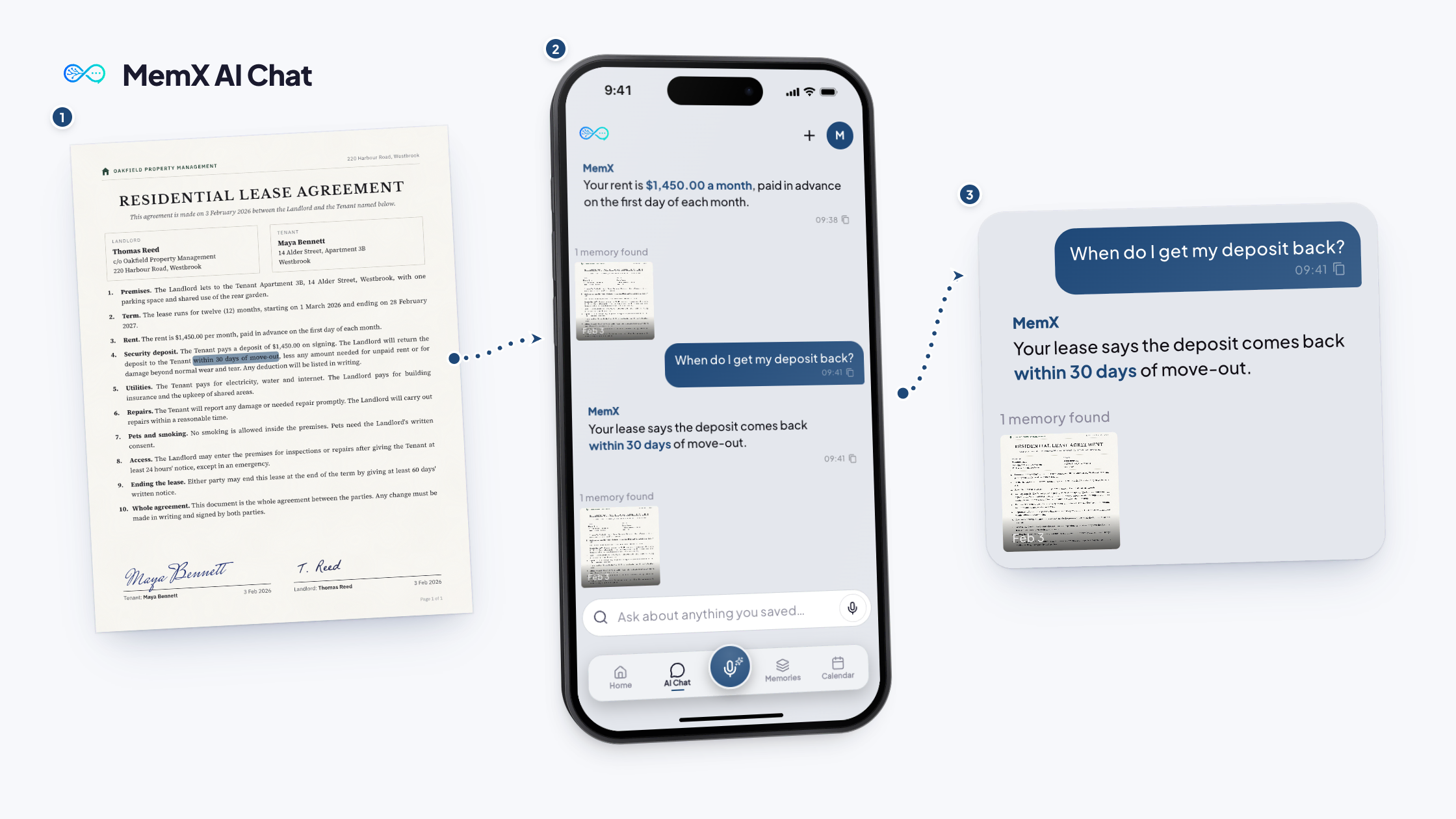
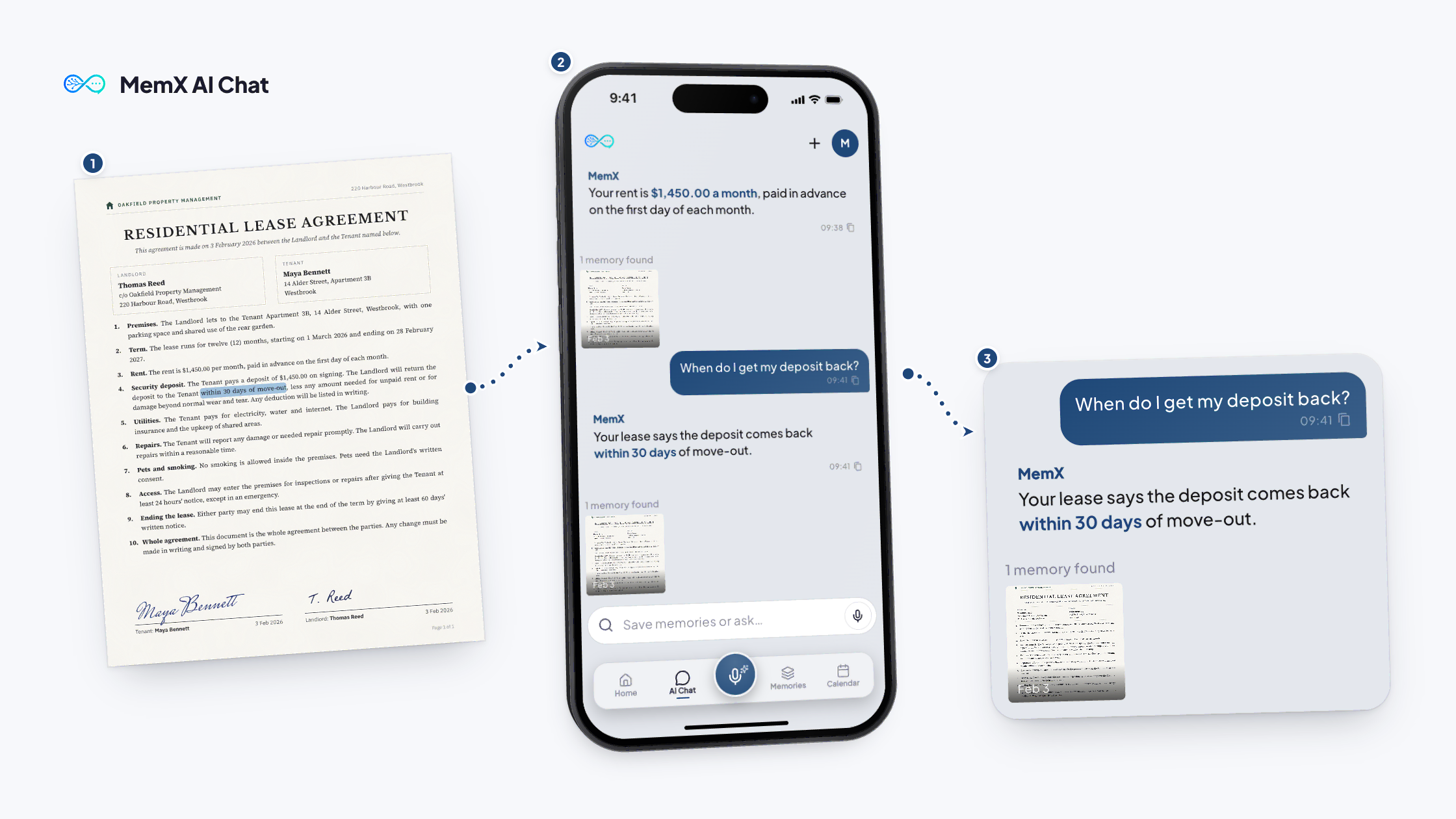
You need your landlord's notice period, and the lease is a very long PDF.
Free to start. Answers show their source.
How it works
Three steps.
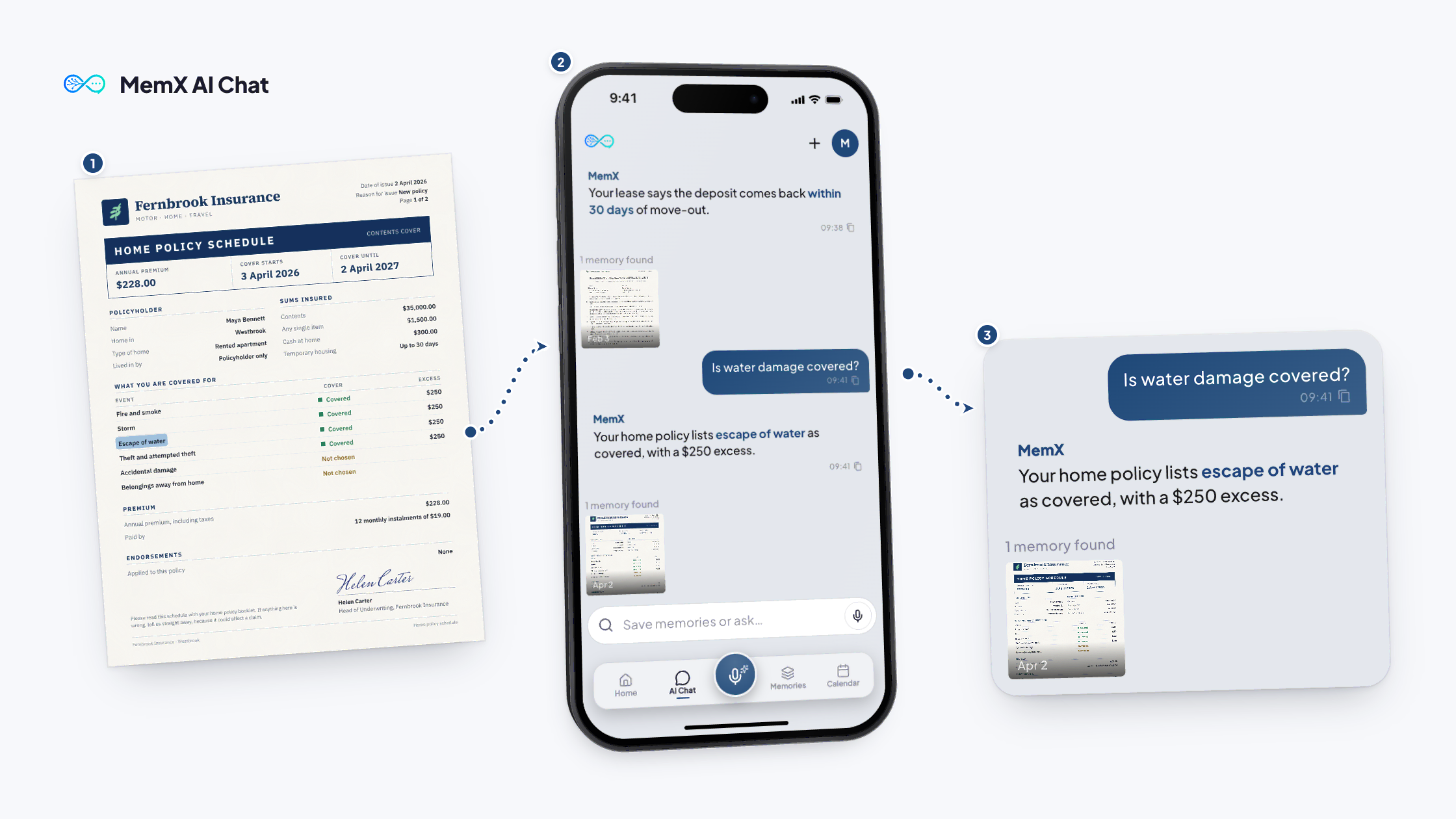
Ask the question. MemX reads the pages for you.
Free to start. Answers show their source.
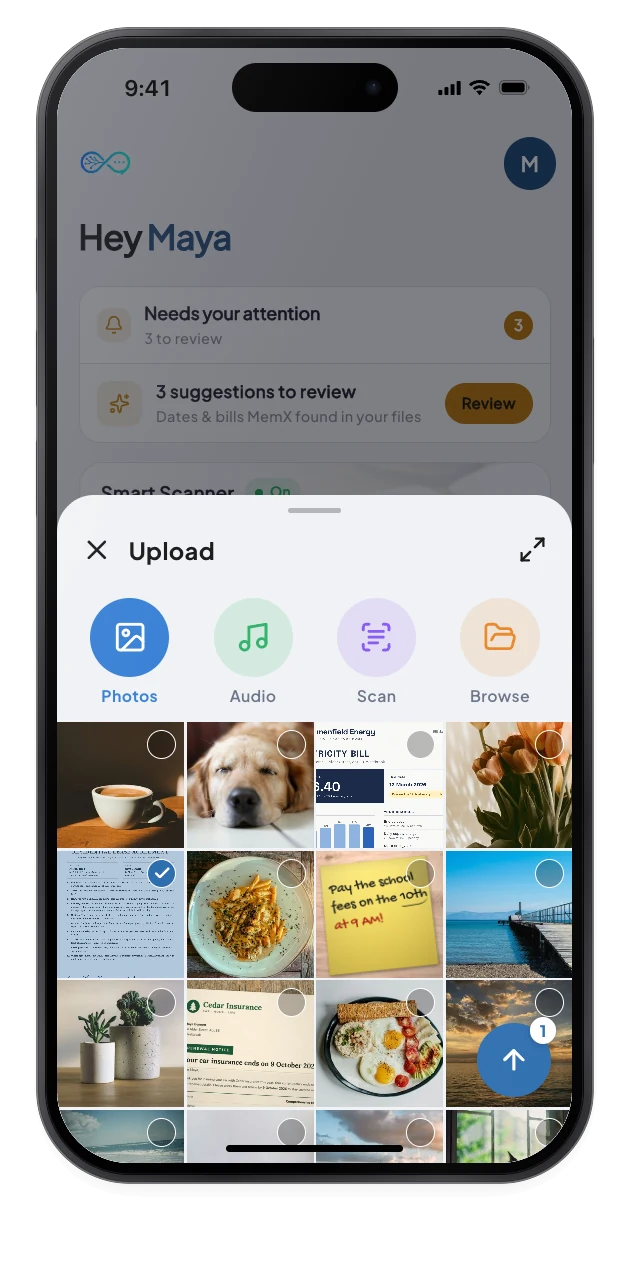
1Save the file
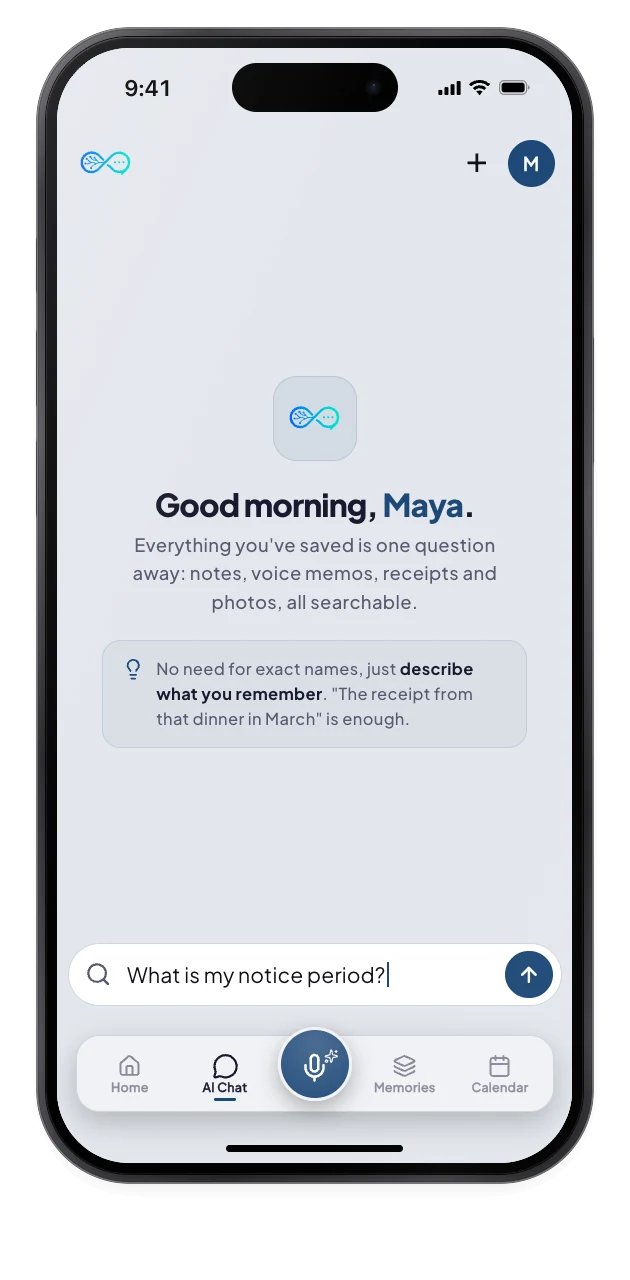
2Ask in plain words
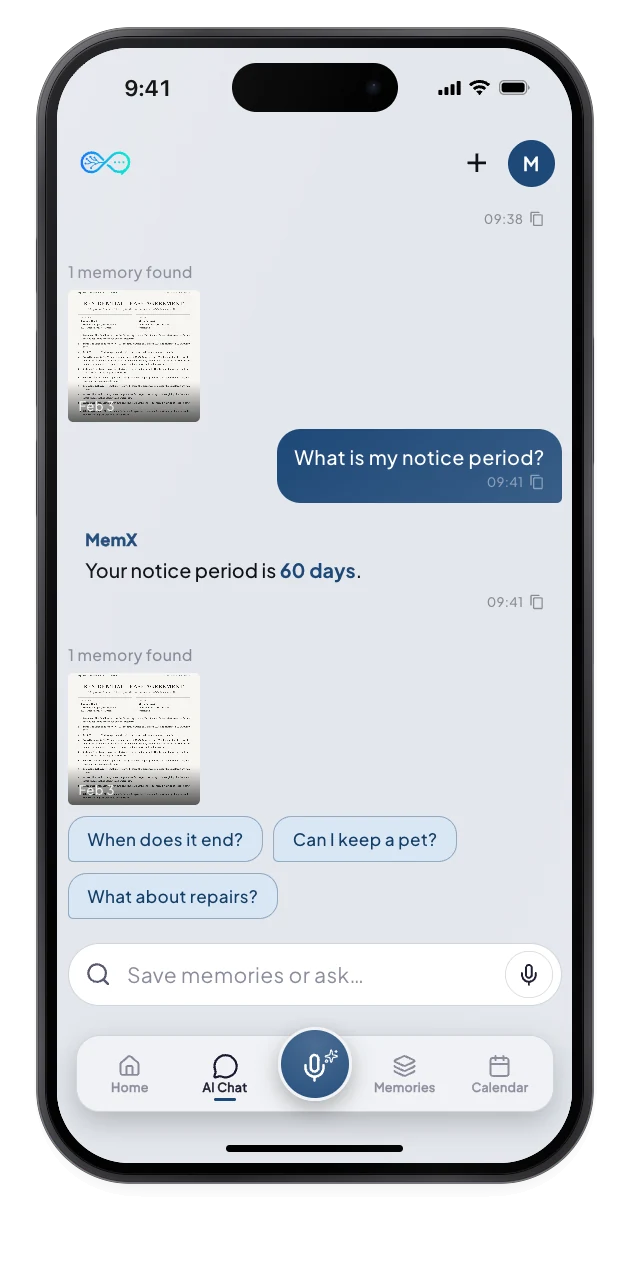
3Answer and source
What changes for you.
A direct answer, the memory it came from, and what you might ask next.
Private by architecture: encrypted at rest, every read logged.
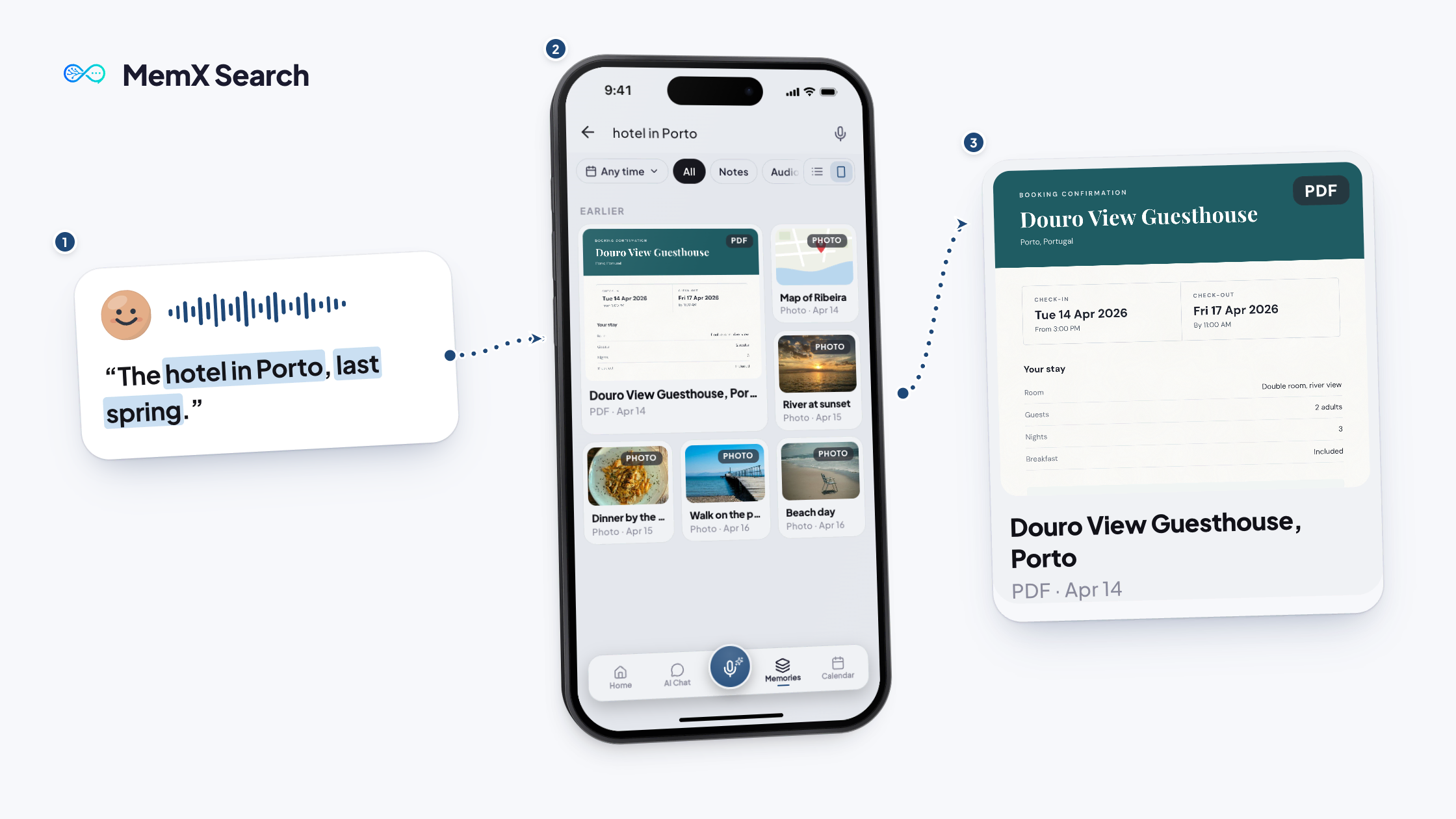
Plain words
Describe what you remember.
Source shown
Answers show the memories they used.
Follow-ups
Three suggested next questions.
Questions
What can I ask MemX about my documents?
Whatever is written in the files you saved: dates, amounts, clauses, names, instructions. Ask in your own words and MemX answers in your language, showing the memories it used.
Does MemX show where an answer came from?
Yes. Answers include source thumbnails with dates, and you can open the original file to check. A "Show more" option reveals further matching memories. This lets you check every answer against the original, rather than trusting it blindly. That matters most for dates and amounts.
Can MemX save things from the chat too?
Yes. A plain statement, such as "Save: the key is under the red pot", is saved as a memory. A question gets an answer. MemX then tags and dates it, so you can ask about it later. This one box is for both saving and asking.
Does the chat need an internet connection?
Yes. Asking and searching need a connection. You can still browse recent memories offline. You can still browse memories you opened recently, and uploads and reminders wait in a queue until you reconnect.
Download MemX. Ask away.
The answer was always in your files. Now it comes to you.
Free to start. Answers show their source.