Voice Control for a Shaky Hand: Agent Ethan
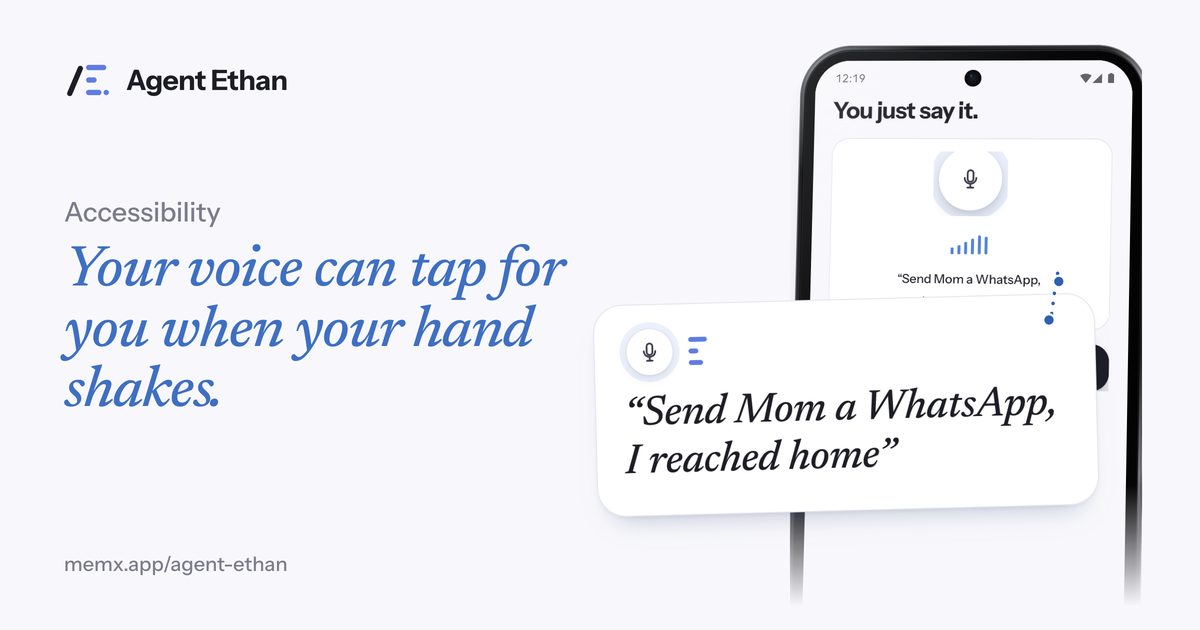
If a tremor makes small buttons hard to hit, Agent Ethan lets you say what you want and does the tapping, typing and scrolling for you. You speak a task such as "Send a WhatsApp message to my son saying I reached home", and Ethan opens the app, reads the screen and presses the controls. It is built for hands that shake or mis-tap, and it is not a medical product: it does not treat tremor or any other condition. It simply takes the fiddly part of using a phone off your hands.
Why small buttons are the problem
The NHS describes a tremor as not being able to control shaking or trembling in part of the body. It also notes that tremor can be more noticeable at some times than others, for example when you are tired, stressed or anxious. NHS guidance on Parkinson's disease lists shaking, usually starting in the hand or arm, among the main symptoms affecting movement.
A phone asks for a lot of precision. A message to one person can mean opening an app, finding a chat, tapping a small text box, typing, and then pressing a Send button that sits close to other buttons. Each of those is a place where a shaky finger can land on the wrong thing, and fixing the mistake takes more taps.
Parkinson's UK says tremor may disrupt daily activities and that some people feel embarrassed if others notice it or if it makes tasks like eating or drinking difficult. For going out in public, its suggestions include planning ahead and asking your Parkinson's nurse or an occupational therapist for practical ideas. A voice tool is one more practical option to put beside those, not a replacement for advice from the people who know your situation.
What changes when you say it instead of tapping it
With Agent Ethan, one spoken sentence replaces a run of taps across several screens. You tap the big microphone, or the optional floating button Ethan can leave over other apps (switched on in Settings), and say the task in your own words. You can also long-press the app icon to start listening straight away, so you do not have to hunt for a small control first.
Ethan then works through Android's Accessibility Service. It reads the screen of the app you asked it to use, decides the next step, and performs the taps, typing and scrolling. You are not asked to hold steady, aim, or hit a target. The hard motor work moves from your hand to Ethan.
- Say the task out loud, in the words you would use with a friend.
- Ethan opens the right app and finds the right screen.
- It types the message or the search for you.
- It asks you before the step that matters, such as sending.
What you see while it works
Ethan first shows a short plan under the heading "On it". While it works, a small pill stays on screen with Pause and Stop buttons, and a hollow gold ring marks the control it is about to press. Because you may not want to reach for the screen, Ethan can speak too: "Talk to me" in Settings lets you choose "Out loud, plus on screen" or "On screen only". With out loud chosen, Ethan speaks when it starts, whenever it needs you, and when the task is done.
One detail matters if your hands are unsteady: the way to take control back is a deliberate press on the Pause or Stop button on the pill. Pause holds the task where it is, and the pill then offers Continue or Stop, so you can rest and carry on.
When Ethan is unsure, for instance because two contacts share a name, it asks instead of guessing. Numbered choices appear over the options, and you can answer by saying the number, by voice, or by tapping.
Where Ethan stops, so a slip does not cost you
Voice can mishear, and nobody wants a misheard word to spend money. Ethan is built to stop at the moments that matter. By default it asks before it sends a message or places a call, and it stops before payments, bookings and permanent deletions and hands the phone back to you. Payments are the strongest rule: Ethan is designed to ask before paying. By design it does not touch passwords, PINs or one-time codes, and it is designed not to change critical settings such as a factory reset or removing an account.
For messages, the default setting helps: Ethan asks before it sends a message or places a call, so a wrong name or a wrong word is caught while it is still easy to fix. Under Autonomy in Settings you can instead let Ethan press Send or Call itself. If your voice is tired or your speech varies from day to day, keeping the ask-first default is a sensible choice.
Getting started, and the honest limits
Ethan needs Android 11 or newer and a Google or email sign-in. It is free to start with a daily allowance of assisted tasks. You switch Ethan on once under Settings, Accessibility, and you can switch it off there at any time. If a family member helps with the first setup, our guide for parents walks through it in order.
Be realistic about what to expect. Ethan is an AI, so it can sometimes pick the wrong control or misread a busy screen. Voice recognition is not perfect for every voice. Pause and Stop are on the pill while a task runs, and the ask-before-send default gives you a second look before anything is sent. If a tremor is getting worse or affecting your daily activities, the NHS advises seeing a GP. Ethan is a phone helper, not a treatment.
Frequently asked questions
Does Agent Ethan treat or reduce tremor?
No. Ethan is not a medical device and makes no medical claims. It only helps you operate a phone by voice, so you do not have to rely on precise taps.
Can I use Agent Ethan if my voice or speech is affected?
You can also type a task instead of speaking it. Speech recognition may not suit every voice, so try a simple task first, and use Pause or Stop on the pill whenever you want.
How do I stop or pause a task?
Use Pause or Stop on the small pill. Pause holds the task where it is, and the pill then offers Continue or Stop.
Sources
Agent Ethan is a tool for operating your phone. It is not medical advice or treatment.
Ready to try it? Download Agent Ethan or read how it works.