Phone Help for Arthritis and Limited Grip
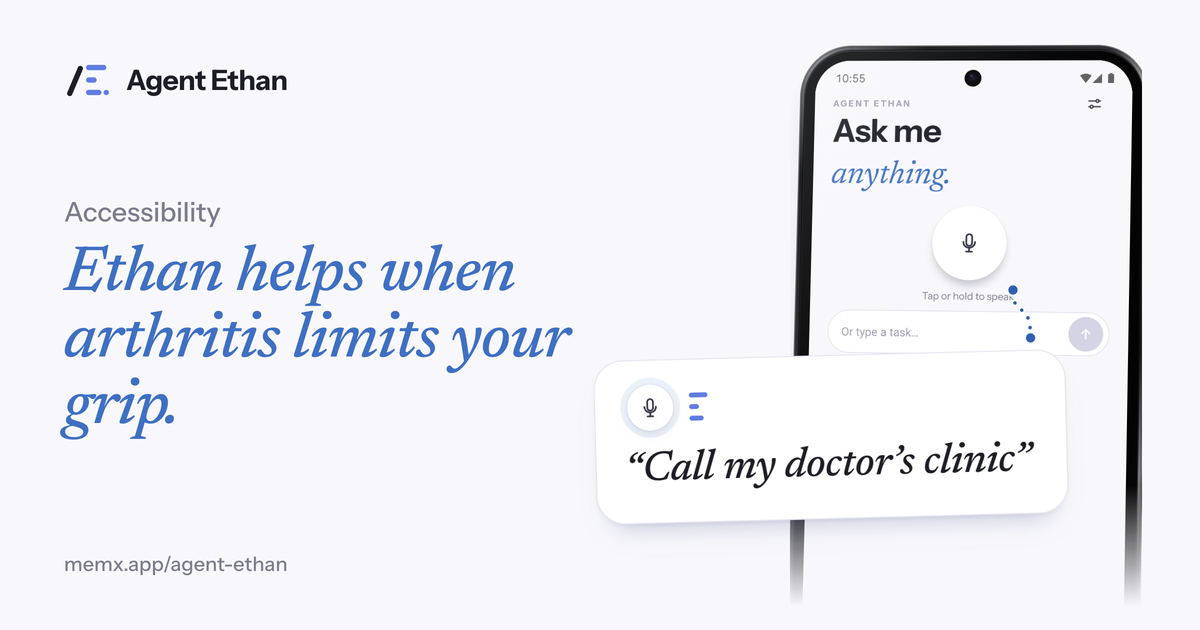
If arthritis or a weak grip makes holding, tapping and swiping a phone tiring, Agent Ethan lets you say the task and does the touching for you. You speak, for example, "Set an alarm for 6:30 tomorrow morning", and Ethan opens the app, reads the screen and presses the controls. It cuts down how often your fingers need to touch the glass. It is not a medical product and makes no claim about your condition. It is a practical way to spend less effort on a phone.
Why a phone can be hard work for hands with arthritis
The NHS describes arthritis as a condition that causes pain, swelling and stiffness in one or more joints, and says it can affect the wrists, hands and fingers. It also describes flare-ups, when symptoms get worse for a few days. On a flare-up day, something as ordinary as a phone can become uncomfortable.
Think about what a short task demands. You hold the phone, which asks for grip. You tap small targets, which asks for finger control. You swipe and scroll, which asks for repeated movement. You type, which asks for many small presses. Even a two-line message adds up.
Arthritis UK, formerly known as Versus Arthritis, says that a range of gadgets and home adaptations can help people manage their arthritis, and that everyday tasks can be difficult. A voice tool for the phone belongs in the same spirit of using the right aid for the job, and it can sit alongside anything your healthcare team suggests.
How Ethan takes the load off your fingers
You tap the large microphone, or the optional floating button (switched on in Settings), and say what you want. You can long-press the app icon to start listening at once. Ethan then uses Android's Accessibility Service to do the tapping, typing and scrolling inside the app you named. One sentence stands in for a dozen small presses.
Because the phone can rest on a table, a stand or your lap, you do not need to hold it up and work it at the same time. For many tasks the only touch left is the microphone, and if you prefer, the optional floating button or the long-press shortcut can start listening instead.
Think about the small jobs that add up over a day: telling someone you are running late, checking what time an alarm is set for, calling the clinic, or having your messages read aloud. Each is a short sentence to Ethan, where on the phone itself it would be a string of taps, swipes and keyboard presses. Fewer touches means fewer chances for a sore joint to complain or a finger to slip.
- "Send a WhatsApp message to my daughter saying I will call tonight"
- "Call my doctor's clinic"
- "Set an alarm for 6:30 tomorrow morning"
- "Read me my latest messages"
- "Play bhajans on YouTube"
Watching it work without reaching for the screen
You can follow a task without touching anything. Ethan shows a plan under "On it", and a small pill stays on screen while it works. Ethan can speak too: "Talk to me" in Settings lets you choose "Out loud, plus on screen" or "On screen only". With out loud chosen, Ethan speaks when it starts, whenever it needs you, and when the task is done, so you can look away and rest your hands.
The pill carries Pause and Stop buttons, so taking control back is a deliberate press. A hollow gold ring marks the control Ethan is about to press, so you can see its intent before it acts.
If Ethan needs a decision, it asks. Numbered choices appear over the options and you answer by saying the number or by tapping. Voice is enough, so the question does not force you back onto a small target.
You stay in charge of the pace. Pause stops Ethan where it is and offers Continue or Stop, which gives you time to rest your hands, take a call, or change your mind. A task you stop halfway can be started again by voice later.
A sensible approach to flare-up days and tired voices
Some days your hands will be better than others, so it helps to plan for the hard ones. Keep Ethan speaking out loud (the "Talk to me" setting) so you do not need to read small text. Keep Autonomy on the default, where Ethan asks before it sends a message or places a call, so a misheard word costs you one extra look rather than a confusing reply to a relative.
Keep your first few tasks simple and familiar, such as an alarm, a call, or a short message. Once you know how Ethan responds to your voice and your phone, you can ask for more involved jobs. You can also type a task if you would rather not speak.
It can also help to put the phone where you can reach the microphone without strain: on a stand, a cushion or a table at a comfortable angle. Your own occupational therapist or GP can advise on positioning and aids that suit your joints, and Ethan fits around that advice rather than competing with it.
Where Ethan stops and what it cannot do
By default, Ethan stops before the steps that cannot be undone. By default it asks before it sends a message or places a call, and it stops before payments, bookings and permanent deletions and hands the phone back to you. Payments are the strongest rule: Ethan is designed to ask before paying. By design it does not touch passwords, PINs or one-time codes. Ethan can take its answers by voice, by number or by tap.
Ethan is an AI and can misread a crowded screen, so it is worth watching the first few tasks. It does not diagnose, treat or manage arthritis. If pain, swelling or stiffness is troubling you, the NHS page on arthritis is a good starting point, and your GP is the right person to ask about it.
Frequently asked questions
Does Agent Ethan help with arthritis itself?
No. It makes no medical claims and does not treat or manage arthritis. It only helps you use a phone with fewer taps and swipes.
Do I need to hold the phone while Ethan works?
No. Ethan does the tapping and typing, so the phone can rest on a stand or table. You can follow progress by voice when Ethan is set to speak out loud.
Can I check a message before it is sent?
Yes. By default Ethan asks before it sends a message or places a call. Under Autonomy in Settings you can let it press Send or Call itself instead.
Sources
Agent Ethan is a tool for operating your phone. It is not medical advice or treatment.
Ready to try it? Download Agent Ethan or read how it works.