Why Agent Ethan Stops Before You Pay or Delete
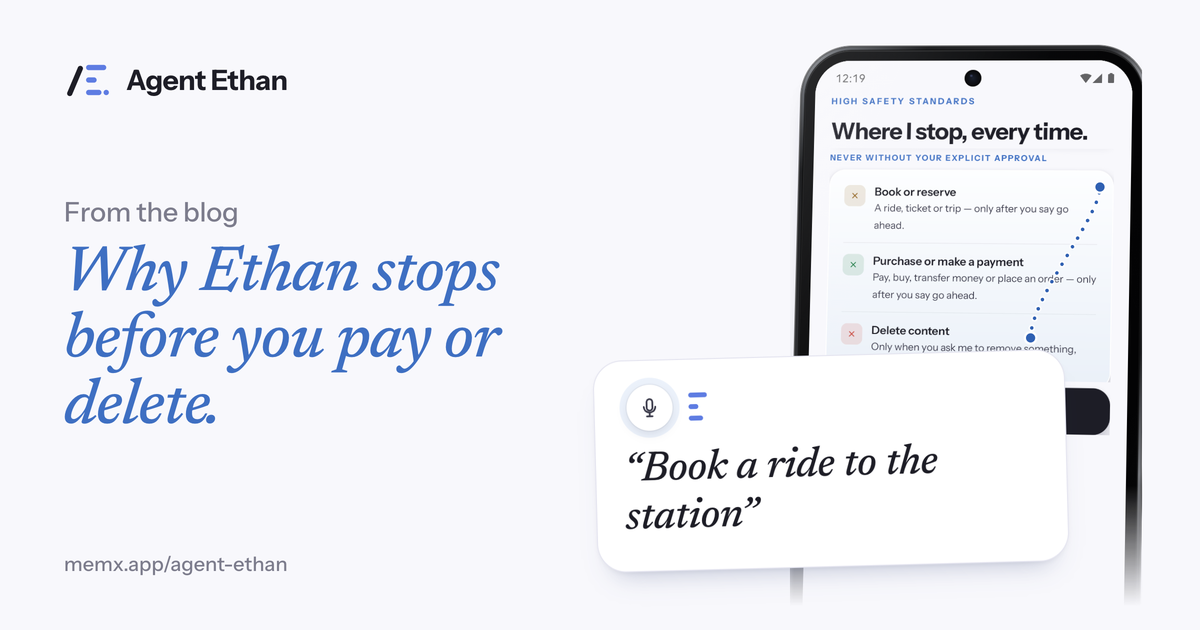
Agent Ethan stops before you pay or delete because those actions cannot be undone, and the decision should be yours. It will open the app, fill in details and get you to the last screen, but by default it does not press Pay, Buy, Book, Send money or a permanent Delete on its own. At that point it hands the phone back and waits for you. Payments are the strongest of these lines.
The rule in one sentence
The rule is simple: Ethan does the tiring part, and you do the final press. If you say "Book a cab to the railway station", Ethan fills everything in and stops before you pay. If you ask it to clear out an old chat, it can get you to the right screen, but by default it will hand over before a permanent delete.
These stops are part of how the app is built, not something you have to remember to switch on. The app's own safety screen says the core of these limits is built into the app itself rather than decided in the moment. It also lists a few things Ethan will not do even if you ask: change critical settings such as a factory reset or removing an account, and touch passwords, PINs or one-time codes.
Think of it like a helpful friend who carries your bags and opens the doors, but waits for you to sign the receipt. That division of labour is the design: effort goes to Ethan, and responsibility stays with you.
Why those actions are different
Most phone actions are easy to reverse. If Ethan opens the wrong app or scrolls to the wrong place, you press Back and nothing is lost. Payments, purchases, bookings and deletions are different. Money can be hard to get back, a booking can carry a fee, and a deleted photo or chat may be gone for good.
Android's own developer documentation notes that accessibility services can perform actions, such as clicking buttons, on behalf of the user. That is a lot of power, and it is the reason a responsible service draws lines. A voice assistant can mishear. A screen can change between a tap and its result. A button labelled with a friendly word can lead somewhere final.
Because a mistake in these few cases costs real money or real data, Ethan treats them as human-only by default. The extra tap you make yourself is a small price for knowing nothing irreversible happened by accident.
What the handover looks like
Ethan keeps you informed all the way. It begins with a short plan, "On it", showing what it intends to do. While it works, a small pill stays on screen with Pause and Stop, and a hollow gold ring marks the control it is about to press. If you chose "Out loud" in Settings, it also speaks when it starts, whenever it needs you, and when the task is done.
When Ethan reaches a payment, booking or permanent deletion, it stops at that screen and gives the phone back. You can then read the amount or the details with your own eyes, and press the button yourself, or decide not to. If you have trouble tapping, you have still saved yourself every earlier step, and the one press that remains is yours.
- Ethan fills in the details and gets you to the final screen.
- It tells you it is handing over, out loud if you chose that.
- You check the amount, the person or the item.
- You press the final button, or leave it.
Messages and questions: the other checkpoints
Sending a message is a gentler case than paying, but it can still go to the wrong person. By default, Ethan asks before it sends a message or makes a call: it types the message, stops, and presses Send only after you say go ahead. The Autonomy choice in Settings has a more relaxed level where Ethan may press Send or Call itself when it is sure of the contact, and still asks if it is unsure. For a parent or anyone newer to this, the default is a good place to stay.
When Ethan is unsure, it asks instead of guessing. Numbered choices appear over the options, and you answer by voice, by saying the number, or by tapping. Pause and Stop on the pill are available while a task runs.
An honest note on safety
No tool is perfect, and we do not claim Ethan can never make a mistake. A stop rule is a safety net, not a promise that you can stop paying attention. Always check the final screen before you press.
If you are setting Ethan up for a parent or a friend, open Settings, then Agent, and check that Autonomy still reads "Asks before Send or Call". That is the starting level, and it is the one that keeps the final press with the person using the phone. Whatever level is chosen, take a moment to read the last screen before anything involving money.
The stops above describe the default behaviour, and the Autonomy setting can loosen only the send and call checkpoint. Ethan is also not a medical device and it does not treat any condition.
Screen content is sent to an AI service only while a task you started is running, and the app also has diagnostics and a Help improve Agent Ethan setting, so read the privacy policy for what is kept and for how long. The permission can be switched off any time in Android Settings, under Accessibility.
Frequently asked questions
Will Agent Ethan ever make a payment for me?
Payments are the line Ethan guards most strongly. By default it fills in the details, takes you to the last screen, and hands the phone back so you make the payment yourself. Even the most relaxed level you can choose in Settings still hands the phone back before a payment.
Can Agent Ethan delete my messages, photos or account?
By default it stops before permanent deletions and hands the phone back to you. The app's safety screen says it will not change critical settings such as a factory reset or removing an account, even if you ask.
Does Agent Ethan see my passwords or OTP codes?
Ethan skips password boxes and one-time codes, and its own safety screen says it will not touch them even if you ask. It reads the screen of the app you asked it to use only while a task you started is running.
Sources
Ready to try it? Download Agent Ethan or read how it works.