What Is an AI Phone Agent? Explained With Ethan
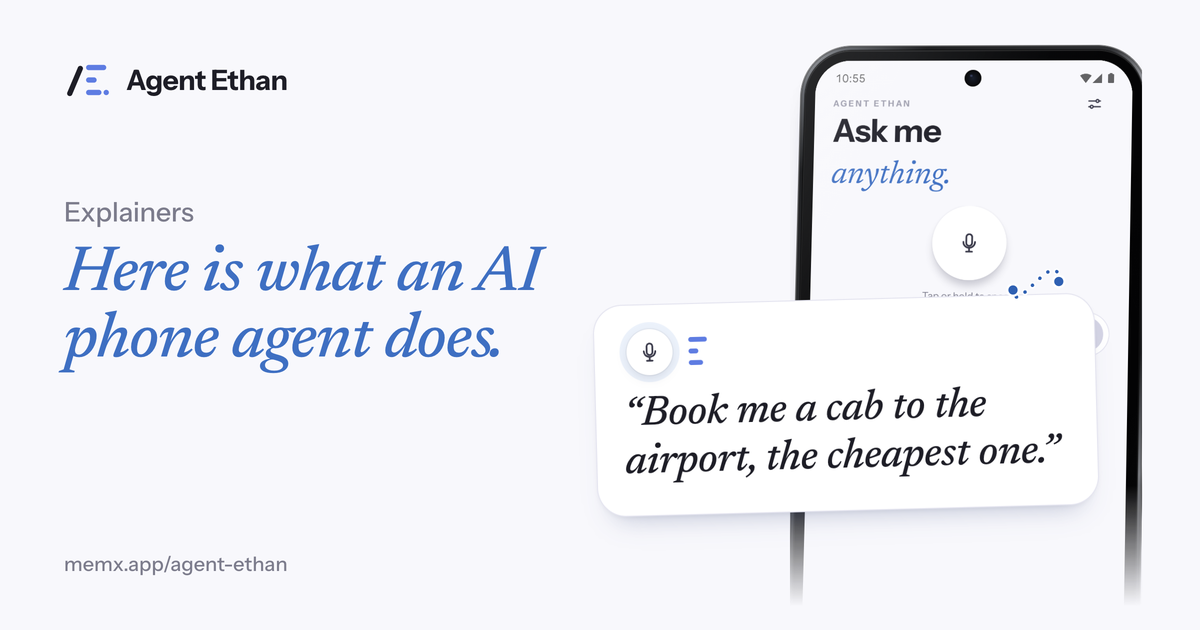
An AI phone agent is an assistant that looks at what is on your phone screen and operates it the way a person would, by tapping, typing and scrolling toward a goal you gave it. A command-based assistant instead maps what you say to a built-in action. Agent Ethan is an example of the first kind, and this post explains how it works on Android in plain language.
Two kinds of phone assistant
Most people first meet voice assistants that respond to commands. You say "set an alarm for 7:30", and the assistant carries out an action it already knows how to do, such as creating an alarm. Google's help page for Gemini on Android lists actions of this kind, like alarms, timers, device toggles and opening apps, along with connected apps for certain tasks.
An agent works differently. You give it a goal, and it looks at the screen in front of it, decides what to press, presses it, looks again, and continues until the job is done or it needs you. The key idea is that it uses the app's own screens, the same ones you would touch, instead of a pre-built shortcut for each task.
This is a general description of the two styles. Real products can mix both, so check each one's own pages for what it does.
A helpful way to hold the difference in your head is a recipe versus a cook. A command is a recipe that someone already wrote. An agent is more like a cook who looks at what is in the kitchen and works out the steps, and who therefore needs a watchful eye and clear limits.
How an agent can see and tap: Android's Accessibility Service
On Android, the door that makes this possible is the Accessibility Service. Android's developer documentation describes an accessibility service as an app that helps users with disabilities, or people who are temporarily unable to fully use a device. It runs in the background and talks to the system to inspect screen content and interact with apps on the user's behalf.
The documentation explains that a service can walk the screen's accessibility tree of nodes, and can perform actions on them, such as clicking and scrolling. It also describes global actions like Back, and dispatching gestures such as swipes or taps. Reading window content and performing gestures are things a service must declare in its configuration.
Two safeguards are worth knowing. The documentation says a service must enforce the BIND_ACCESSIBILITY_SERVICE permission so that only the system can bind to it, and Google's help pages show that you turn a downloaded service on yourself in Settings, under Accessibility. The documentation also calls an accessibility service "a specialized tool" and says to build one only for a general-purpose assistive tool.
In plain terms, the system lets an enabled service see a map of the screen, and the service uses that map to find and press the right controls. That is why an agent can work in many apps without a special deal with each one, and also why you should only turn on services you trust.
What Agent Ethan does with that access
Agent Ethan is built as an accessibility service. When you start a task, it reads the content of the screen of the app you asked it to operate: text, buttons, and a screenshot when text is not enough. That information goes to an AI service while the task runs, which works out the next step, and Ethan then performs the tap, typing or scroll.
You can see it happen. Ethan begins with a short plan ("On it"), a small pill with Pause and Stop stays on screen, and a hollow gold ring marks the control it is about to press. If it is unsure, it asks you with numbered choices.
It works only while a task you started is running, and you can turn the service off at any time under Android Settings, Accessibility.
Spoken tasks go to a speech service to be turned into text, and the app keeps a task history that you can clear from Settings. For what leaves the phone and what is kept, read the privacy explanation and then the privacy policy itself.
Why the guard rails matter
An agent that can press any button needs limits. A voice can be misheard, a screen can change between a look and a tap, and a friendly button label can lead somewhere final.
So Ethan has rules. By default it asks before sending a message or placing a call, and it stops before paying, buying, booking or a permanent delete. Its onboarding also lists things it will not do even if asked: touch passwords, PINs or one-time codes, or change critical settings such as a factory reset.
These limits are part of what makes an agent usable for people who rely on it. The point is to give effort to the agent and keep decisions with you.
Ethan also keeps its safeguards visible rather than hidden. You can pause or stop at any moment, and numbered choices appear when it needs your decision, so you answer by voice instead of searching for a button.
What an agent is good at, and what it is not
An agent is good at multi-screen chores in apps, where a single spoken goal replaces a long run of taps. That can help people with shaky hands, people with low vision who use a screen reader, older adults, and people who prefer to speak in their own language.
It is less suited to jobs that are one tap, to situations where you cannot speak, or to tasks where you want to choose each step yourself. Apps change their layouts, so an agent can still get confused, which is why it shows its plan and asks when unsure.
If an agent sounds useful for you, the best test is a small task you do often.
Frequently asked questions
What is an AI phone agent in one sentence?
It is an assistant that reads your phone screen and does the taps, typing and scrolling needed for a goal you speak, instead of running a fixed built-in command.
Does an agent need special Android access?
On Android, agents like Ethan use the Accessibility Service. You switch it on yourself in system settings, and you can switch it off there at any time.
Is an AI phone agent the same as a chatbot?
Not quite. A typical chatbot answers in text. An agent acts on your phone by operating app screens, which is why safety limits and visible plans matter.
Sources
- AccessibilityService (Android Developers)
- Control your Android mobile device & apps with Device assistance (Gemini Apps Help)
- Use & manage Connected Apps in Gemini (Gemini Apps Help)
- Find the new Switch Access (Android Accessibility Help)
Ready to try it? Download Agent Ethan or read how it works.